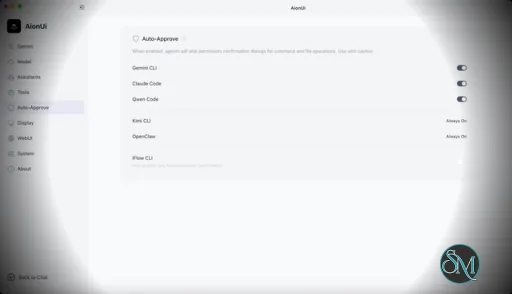
AionUi is a cross platform desktop application that transforms command line AI agents into an intuitive graphical interface. It detects locally installed AI CLI tools and presents them in a structured environment where users can manage conversations, sessions, and files more efficiently.
The software is open source, allowing users to customize and extend its functionality according to their workflow requirements.
Download AionUI v2.1.18 - Software Mirrors |
|---|
Download AionUI v2.1.18
for Windows 64bit (exe) | 254.79 MB Download AionUI v2.1.18
for Windows ARM64 (exe) | 233.09 MB | Download AionUI v2.1.18
for macOS Intel (zip) | 425.14 MB Download AionUI v2.1.18
for macOS Intel (dmg) | 416.5 MB Download AionUI v2.1.18
for macOS ARM64 (zip) | 421.2 MB Download AionUI v2.1.18
for macOS ARM64 (dmg) | 412.66 MB | Download AionUI v2.1.18
for Linux ARM64 (deb) | 364.38 MB Download AionUI v2.1.18
for Linux 64bit (deb) | 381.97 MB |
Highlights
This release adds live streaming voice input, a redesigned Assistant governance page, and significant team-mode and update-flow reliability work.
Streaming Voice Input
- Speech now transcribes live as you talk — partial and final text appears in the input box in real time, in both the chat send box and the home page (powered by streaming-capable presets like Deepgram and OpenAI).
- macOS fix: the microphone now works under the hardened runtime. Previously Speech-to-Text silently recorded nothing and the app never appeared under Privacy & Security → Microphone.
Assistant Governance (Phase 1)
- Assistant Settings is now a full-page governance area: builtin and custom assistants live in one list, with a full-page editor replacing the old drawer, and assistant-bound conversations are clearly separated from plain agent chats.
Team Mode Reliability
- Team-mode conversations now share one message contract between live and restored sessions, so history renders consistently, with send-box gating kept in sync with the latest runtime state.
Conversation UX Polish
- More compact desktop defaults (smaller default fonts and 95% zoom, tighter line spacing) for a denser, tidier chat view. Existing custom font/zoom settings are untouched; Reset and Cmd/Ctrl+0 return to the new defaults.
- The send box now correctly stays busy while a request is being cancelled, so you can't fire a new message into a runtime that's still tearing down.
Bug Fixes
- WebUI: Office (PPT/Word/Excel) previews no longer return 404 — every Office preview in browser mode was broken before this fix (desktop was unaffected).
- WebUI: the workspace folder picker is clickable again in the cron and team-create dialogs, instead of degrading to a plain text field.
- Windows: recover from upgrade failures where the installer wrongly reported "AionUi cannot be closed" due to a long-path cleanup error in the old uninstaller.
- Updates now wait for the backend to fully shut down before installing, avoiding mid-install lifecycle errors.
What's Changed
- fix(preview): office watch proxy url 404 in webui mode by @lornestack in https://github.com/iOfficeAI/AionUi/pull/3287
- test(bootstrap): stop clobbering real out/ artifacts in build-with-builder test by @lornestack in https://github.com/iOfficeAI/AionUi/pull/3289
- feat(stt): streaming voice input with live transcript by @lornestack in https://github.com/iOfficeAI/AionUi/pull/3291
- fix(macos): add audio-input entitlement so microphone works under hardened runtime by @szafranski in https://github.com/iOfficeAI/AionUi/pull/3294
- fix(windows-installer): recover from old uninstaller atomic cleanup long-path failures by @TCP404 in https://github.com/iOfficeAI/AionUi/pull/3296
- fix(workspace): enable clickable folder picker in webui by @IceyLiu in https://github.com/iOfficeAI/AionUi/pull/3301
- feat(assistant): deliver phase-1 governance settings by @kaizhou-lab in https://github.com/iOfficeAI/AionUi/pull/3277
- polish(conversation): compact display defaults & tidier chat UI (#21–#24) by @IceyLiu in https://github.com/iOfficeAI/AionUi/pull/3306
- test(e2e): cover cron busy retry flow by @kaizhou-lab in https://github.com/iOfficeAI/AionUi/pull/3298
- Fix send gating during cancelling runtime by @piorpua in https://github.com/iOfficeAI/AionUi/pull/3307
- feat: stabilize team mode conversation runtime by @piorpua in https://github.com/iOfficeAI/AionUi/pull/3309
- fix(updater): wait for backend shutdown before install by @TCP404 in https://github.com/iOfficeAI/AionUi/pull/3270
- chore: bump version to 2.1.18 by @piorpua in https://github.com/iOfficeAI/AionUi/pull/3311
- fix(ci): increase web-cli build heap by @piorpua in https://github.com/iOfficeAI/AionUi/pull/3313
New Contributors
- @szafranski made their first contribution in https://github.com/iOfficeAI/AionUi/pull/3294
Full Changelog: https://github.com/iOfficeAI/AionUi/compare/v2.1.17...v2.1.18 |
Key Features
Multi Agent Support
AionUi allows users to run multiple AI sessions simultaneously. Each session maintains its own context, enabling parallel workflows without cross interference.
Modern Chat Interface
The application provides a clean and organized chat environment. Users can scroll through conversation history, manage session tabs, and interact with AI responses in a visually structured format.
Smart File Management
AionUi includes drag and drop support, file previews, and structured file browsing. This improves productivity when working with code, documents, or AI generated content.
Multi Model Compatibility
The software supports various AI models through local or API based configurations. Users can switch between models depending on task requirements.
Session Control and Workflow Tools
Users can manage sessions independently, review outputs, and maintain organized AI workflows. This structure helps reduce clutter when working on complex tasks.
Cross Platform Availability
AionUi runs on major operating systems, ensuring accessibility for developers working in different environments.
Ease of Use
The interface is designed to simplify complex AI workflows. While some familiarity with AI tools is helpful, the graphical layout significantly reduces the learning curve compared to pure command line usage.
Navigation is intuitive, and core features are accessible without excessive configuration.
Performance and Compatibility
AionUi operates efficiently as a desktop application. Performance depends partly on the underlying AI services or APIs being used, but the interface itself remains responsive during normal use.
Compatibility with standard AI command line tools ensures flexibility for technical users.
Final Verdict
AionUi is a powerful desktop interface for managing AI command line tools in a structured and visual way. Its ability to handle multiple sessions, integrate different models, and organize workflows makes it a valuable productivity solution for advanced users.
For professionals seeking greater control and efficiency in AI driven projects, AionUi delivers a practical and modern solution.
AionUi is a free and open source desktop application that provides a modern graphical interface for command line AI tools. It is designed to simplify AI workflows by replacing terminal based interaction with a visual environment that supports multiple AI models, parallel sessions, and productivity focused features. AionUi is suitable for developers, researchers, and advanced users who want a unified way to manage AI driven tasks.
Post a Comment/Report Broken Link: