AionUi is a cross platform desktop application that transforms command line AI agents into an intuitive graphical interface. It detects locally installed AI CLI tools and presents them in a structured environment where users can manage conversations, sessions, and files more efficiently.
The software is open source, allowing users to customize and extend its functionality according to their workflow requirements.
Download AionUI v2.1.40 - Software Mirrors |
|---|
Download AionUI v2.1.40
for Windows 64bit (exe) | 289.38 MB Download AionUI v2.1.40
for Windows ARM64 (exe) | 449.66 MB | Download AionUI v2.1.40
for macOS Intel (zip) | 462.22 MB Download AionUI v2.1.40
for macOS Intel (dmg) | 457.12 MB Download AionUI v2.1.40
for macOS ARM64 (zip) | 450.92 MB Download AionUI v2.1.40
for macOS ARM64 (dmg) | 446.05 MB | Download AionUI v2.1.40
for Linux ARM64 (deb) | 344.39 MB Download AionUI v2.1.40
for Linux 64bit (deb) | 368.99 MB |
Highlights
Direct-CLI Sessions for Claude and Codex
- Claude and Codex now run over a new direct-CLI session path that talks to each CLI's native protocol instead of going through a third-party ACP shim. Sessions get a persistent per-conversation process that resumes with your model, mode, MCP servers, and permission settings intact.
- The chat stream now surfaces backend advisories — like a rejected model/mode switch or a Codex deprecation notice — as inline tips, without confusing the running/timer state.
Faster, More Resilient Teams
- Entering a team session no longer wakes up every member behind a full-screen overlay. Only the leader warms up first; teammates stay dormant (shown with a distinct outlined badge) and wake lazily when work is first delivered to them.
- If a single member fails to start, it no longer takes the whole team down — you can retry starting just that member.
- The sidebar now shows a live running indicator on each team while it is accepting, executing, or cancelling work, even when you navigate away from the team page.
Permission Panel Redesign
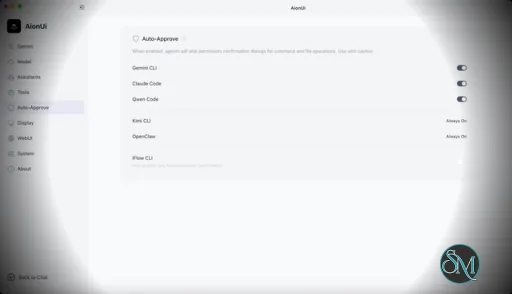
- Permission requests from both built-in and ACP agents now share one cleaner inline panel: a clear operation badge (execute / edit / read), simple option rows, and a single explicit Confirm action. New requests no longer steal focus from the chat composer.
Assistant & Agent Management
- New "Enabled" tab in Assistant Settings lets you drag-and-drop reorder all enabled assistants in one list — CLI, custom, and official alike. The saved order applies everywhere assistants are picked: new conversation, home, team creation, and scheduled tasks.
- Custom agents can now use image avatars, not just emoji — pick from the built-in gallery or upload your own image.
Scheduled Tasks Made Discoverable
- Every conversation row in history now has a timer action that pre-fills a localized /cron example, so turning an existing conversation into a scheduled task takes one click.
- Input placeholders now hint at hidden affordances: "/" for commands on the home input and ↑/↓ for message history in conversations.
Bug Fixes
- Update downloads can be minimized again — the downloading card no longer blocks the chat input until the transfer finishes.
- Messages with many attached files no longer stretch the conversation wider than the window; the file list scrolls internally as designed.
- ACP file change panels are back: edit diffs render with the full file changes panel and insertion/deletion counts instead of collapsing into a bare path label.
Engine updates (AionCore v0.1.50 → v0.1.51, Aion CLI runtime v0.2.6 → v0.2.7)
- Aion CLI file edits are far more reliable: exact matches are prioritized, and line-ending differences (CRLF vs LF) no longer cause edit failures.
- Streaming is more robust: partial UTF-8 characters split across network chunks no longer corrupt output, and errors embedded in streaming responses are handled gracefully instead of breaking the turn.
- Context compaction now accounts tokens correctly, and an agent stuck on repeatedly failing tools finalizes its answer instead of looping.
- Conversation cron schedules now use the host machine's timezone, so tasks fire when you expect.
- Grok startup environment is hardened with npx recovery, and the system keep-awake lock is properly released on shutdown.
- Groundwork landed for an upcoming Project Explorer feature (project/folder data layer) — no user-visible change yet.
What's Changed
- fix(update): allow minimizing active downloads by @eyaeya in #3663
- fix(chat): bound HorizontalFileList to conversation width to prevent overflow by @taekchef in #3659
- fix(chat): restore ACP file change panels by @eyaeya in #3665
- feat(team): show running state in sidebar by @eyaeya in #3666
- feat(cron): add scheduled-task action to history by @eyaeya in #3674
- feat(desktop): support image avatars for custom agents (#3599) by @taekchef in #3667
- fix(i18n): add discoverability hints to input placeholders by @taekchef in #3658
- feat(team): dormant teammate UI with lazy warmup and per-member retry-start by @piorpua in #3712
- feat(permissions): redesign request panel by @eyaeya in #3676
- feat(assistants): support reordering enabled assistants by @taekchef in #3696
- feat(session-port): AionUi frontend support for the direct-CLI claude/codex session path by @BlackKeyZ in #3572
- chore: bump version to 2.1.40 by @piorpua in #3716
New Contributors
- @eyaeya made their first contribution in #3663
- @BlackKeyZ made their first contribution in #3572
Full Changelog: v2.1.39...v2.1.40 |
Key Features
Multi Agent Support
AionUi allows users to run multiple AI sessions simultaneously. Each session maintains its own context, enabling parallel workflows without cross interference.
Modern Chat Interface
The application provides a clean and organized chat environment. Users can scroll through conversation history, manage session tabs, and interact with AI responses in a visually structured format.
Smart File Management
AionUi includes drag and drop support, file previews, and structured file browsing. This improves productivity when working with code, documents, or AI generated content.
Multi Model Compatibility
The software supports various AI models through local or API based configurations. Users can switch between models depending on task requirements.
Session Control and Workflow Tools
Users can manage sessions independently, review outputs, and maintain organized AI workflows. This structure helps reduce clutter when working on complex tasks.
Cross Platform Availability
AionUi runs on major operating systems, ensuring accessibility for developers working in different environments.
Ease of Use
The interface is designed to simplify complex AI workflows. While some familiarity with AI tools is helpful, the graphical layout significantly reduces the learning curve compared to pure command line usage.
Navigation is intuitive, and core features are accessible without excessive configuration.
Performance and Compatibility
AionUi operates efficiently as a desktop application. Performance depends partly on the underlying AI services or APIs being used, but the interface itself remains responsive during normal use.
Compatibility with standard AI command line tools ensures flexibility for technical users.
Final Verdict
AionUi is a powerful desktop interface for managing AI command line tools in a structured and visual way. Its ability to handle multiple sessions, integrate different models, and organize workflows makes it a valuable productivity solution for advanced users.
For professionals seeking greater control and efficiency in AI driven projects, AionUi delivers a practical and modern solution.
AionUi is a free and open source desktop application that provides a modern graphical interface for command line AI tools. It is designed to simplify AI workflows by replacing terminal based interaction with a visual environment that supports multiple AI models, parallel sessions, and productivity focused features. AionUi is suitable for developers, researchers, and advanced users who want a unified way to manage AI driven tasks.
Post a Comment/Report Broken Link: