PixiEditor is a free and open source 2D graphics editor designed for pixel art, raster painting, vector graphics, and animation workflows. Initially focused on sprite and pixel art creation, the software expanded significantly with the PixiEditor 2.x releases into what the developers describe as a “Universal 2D Graphics Editor.”
The project supports Windows, Linux, and macOS, while remaining fully offline and desktop native.
PixiEditor has evolved from a simple pixel art tool into a highly ambitious universal 2D graphics editor. It now combines pixel art, painting, vector graphics, animation, and procedural workflows into a single application, making it one of the most interesting open source creative projects currently available.
Download PixiEditor 2.1.2.1 - Software Mirrors |
|---|
Download PixiEditor 2.1.2.1 Download PixiEditor 2.1.2.1 Download PixiEditor 2.1.2.1 Download PixiEditor 2.1.2.1 Download PixiEditor 2.1.2.1 Download PixiEditor 2.1.2.1 Download PixiEditor 2.1.2.1 |
PixiEditor 2.1.2.1 Release Notes:New things
Improvements
Fixes
|
Key Features of PixiEditor
Unified 2D Workflow
PixiEditor combines pixel art, raster painting, vector editing, and animation on the same canvas. Users can mix workflows without switching between multiple applications.Node Based Procedural System
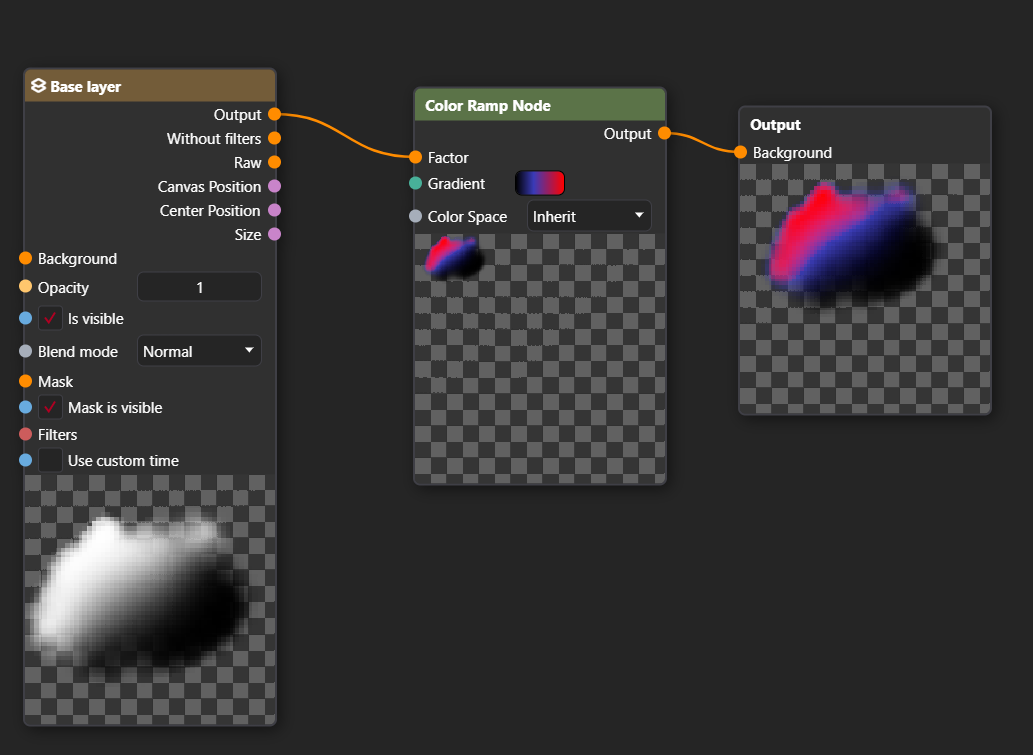
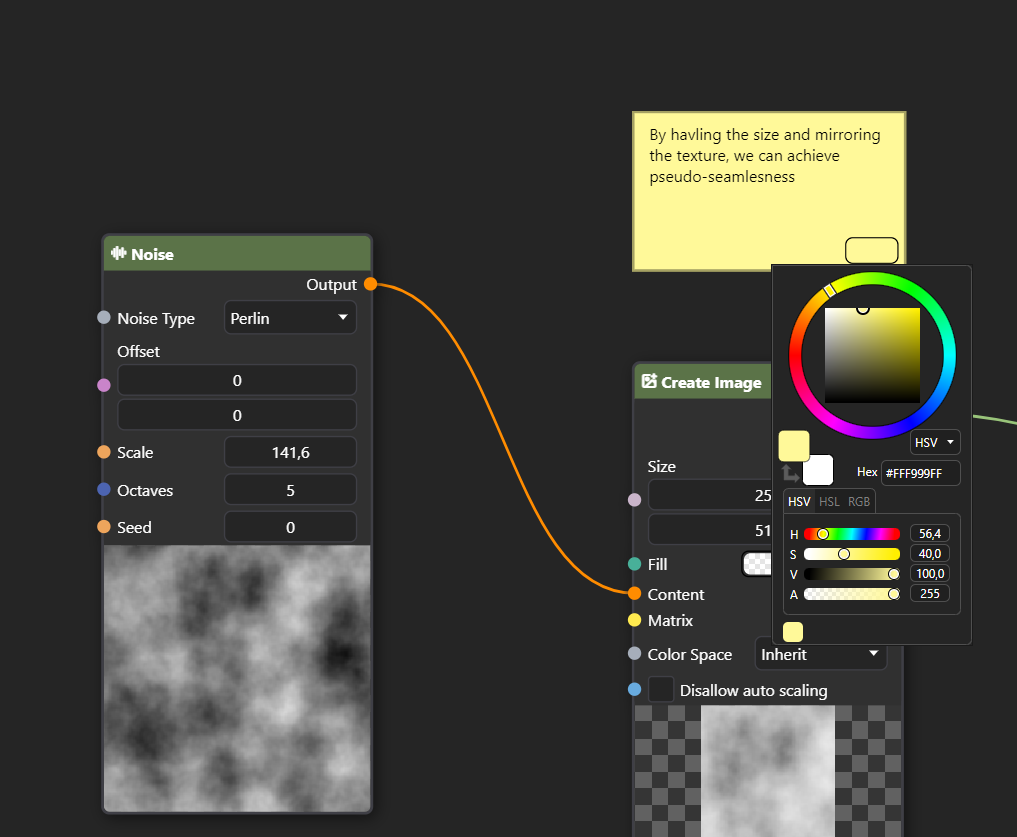
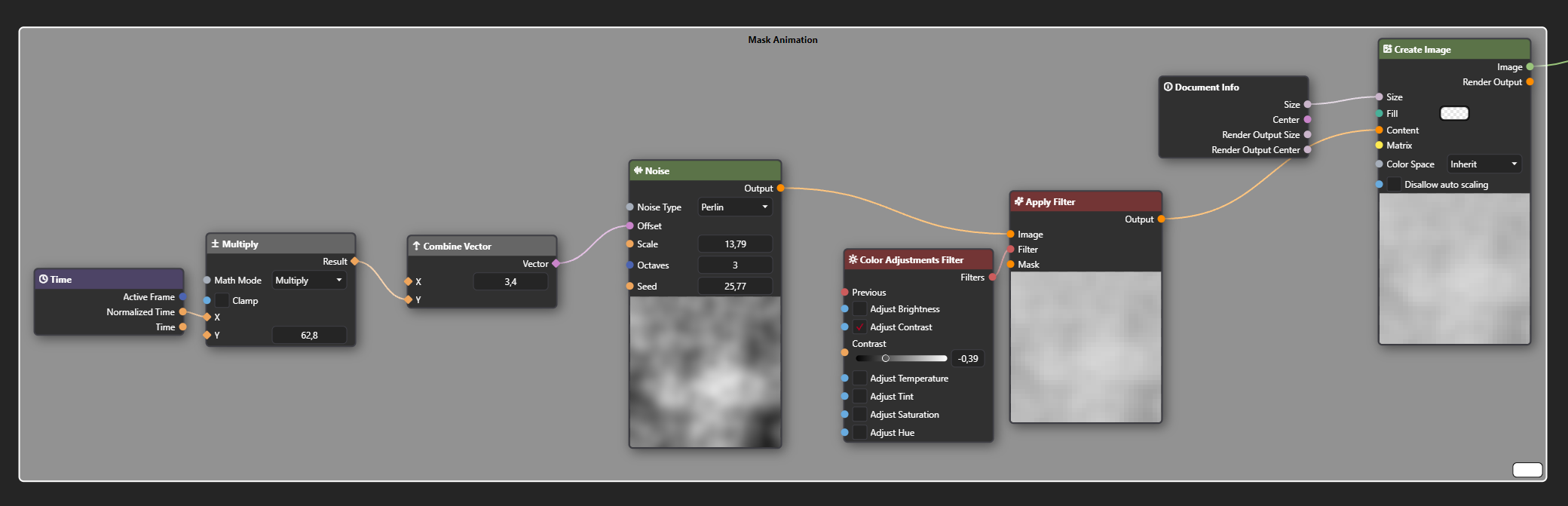
One of the most unique features is the Node Graph system. It allows users to build non destructive effects, procedural workflows, shaders, and visual compositions using connected nodes similar to Blender or game engine shader editors.Pixel Art Tools
The editor still retains strong pixel art functionality including palette management, sprite editing tools, symmetry tools, and animation support.Animation Support
PixiEditor includes frame by frame animation workflows with plans for expanded keyframe animation systems in future updates.Cross Platform and Open Source
The application is fully open source and community driven, with roadmap voting and transparent development.Modern GPU Accelerated Rendering
The project uses Vulkan and Skia based rendering systems for responsive performance and modern graphics acceleration.
User Experience
PixiEditor looks surprisingly polished for an open source project. The interface feels modern, dark themed, and clearly inspired by professional creative software. Many users compare its flexibility to Blender’s workflow philosophy for 2D graphics.
Beginners can still use it for straightforward pixel art and drawing, but the node based systems and expanding feature set introduce a learning curve for advanced workflows.
Community feedback is generally enthusiastic, especially among indie developers and pixel artists. Several Reddit discussions describe it as one of the most underrated open source creative tools currently available.
Performance and Compatibility
PixiEditor performs well on modern systems thanks to GPU acceleration and native desktop architecture. Linux support became significantly stronger with PixiEditor 2.0, helping broaden its appeal among open source users.
Because the software is still evolving rapidly, some advanced systems and workflows may occasionally feel experimental compared to mature commercial editors.
Pros
Free and open source
Combines pixel art, painting, vector, and animation workflows
Powerful node based procedural editing
Modern interface and GPU accelerated performance
Cross platform support including Linux
Active development and transparent roadmap
Cons
Learning curve increases with advanced workflows
Still less mature than long established commercial editors
Rapid feature growth can introduce complexity
Some tools and workflows remain in active development
PixiEditor is ideal for indie game developers, pixel artists, animators, open source enthusiasts, and digital creators who want a flexible all in one 2D editor without subscriptions.
It is especially appealing for users interested in procedural workflows, shader based effects, and combining multiple artistic styles inside one application.
PixiEditor is quickly becoming one of the most exciting open source graphics editors available today. Its combination of pixel art tools, vector support, procedural node systems, and animation workflows gives it capabilities rarely seen in free creative software. While still evolving, it already offers tremendous value for artists and developers looking for a modern and ambitious 2D creation platform.

Developer:
Pixi Labs Sp. z o.o
Operating System:
Windows / macOS / Linux
Date Added:
2026-07-29T08:02:09.956Z
Categories:
Post a Comment/Report Broken Link: