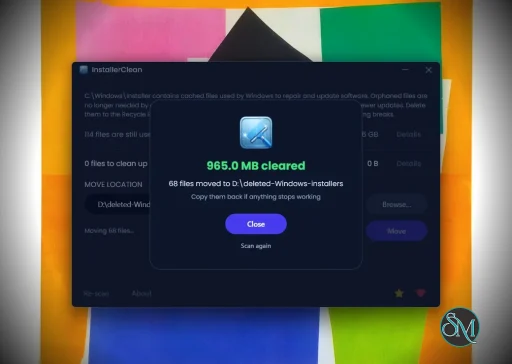
InstallerClean is a small Windows tool that helps detect and remove leftover files, folders, and registry entries created by installed software. It is built for users who want to keep their system clean without manually digging through directories.
InstallerClean is a focused utility designed to clean up files and traces that remain after uninstalling programs. While many uninstallers remove the main application, leftover data often stays behind. InstallerClean aims to fix that with a simple and lightweight approach.
The application is typically portable, meaning it can run without installation and does not add extra load to your system.
Download InstallerClean v2.3.0 - Software Mirrors |
|---|
Download InstallerClean v2.3.0 Download InstallerClean v2.3.0 Download InstallerClean v2.3.0 |
InstallerClean v2.3.0 Release Notes:InstallerClean 2.3.0A sixteenth language, a scan bug that a user found, and an accessibility pass.InstallerClean now speaks DutchA very kind gift from @RijckAlex who submitted this unprompted (#54): every window, dialog, tooltip and button, and the command-line tool's text with it. I've reviewed and completed it, added the installer's Dutch wizard and written a full Dutch README, so Dutch now covers the whole of InstallerClean the way the other fifteen do. On a Dutch-language Windows it applies by itself; anywhere else it's a click on the globe in the bottom bar. Dank je wel, RijckAlex.One unreadable program no longer stops the whole scanWindows can register a program in an unusual but valid way: a per-user install recorded under the system account, which is how some corporate DisplayLink setups arrive. When it does, Windows refuses to give InstallerClean that one program's list of updates, and until now InstallerClean stopped the whole scan rather than work from a half-read list. It now sets that one program aside, keeps every one of its cached files, and carries on. Huge thanks to @garylitton, who reported it with enormous detail, enough to pin down the cause.Also in this release
Downloads
Verify your download (SHA-256).sha256 sidecar files alongside each binary on this release. To verify in PowerShell:
VirusTotal
|
Key Features of InstallerClean
Leftover File Detection
InstallerClean scans your system for files and folders that remain after uninstalling applications. This helps free up disk space and reduce clutter.Registry Cleanup
It can identify unused or orphaned registry entries related to removed programs, helping maintain system organization.Simple Interface
The tool is designed to be straightforward. Users can scan and clean with minimal steps, making it accessible even for non technical users.Portable Usage
InstallerClean often runs as a portable application, so you can use it on multiple systems without installation.Fast Scanning
The scanning process is quick and does not heavily impact system performance.
User Experience
InstallerClean is easy to use, with a minimal interface that focuses on functionality. It does not overwhelm users with advanced settings, which makes it suitable for quick maintenance tasks.
However, advanced users may find it lacks deeper customization compared to more comprehensive system cleanup tools.
Performance and Compatibility
The software performs efficiently and works on most Windows systems. It is lightweight and does not consume significant resources during scanning or cleaning.
Because it targets leftover files specifically, it complements rather than replaces full system maintenance tools.
Pros
Lightweight and fast
Simple and easy to use
Helps remove leftover files and registry entries
Portable and convenient
Cons
Limited advanced features
Not as comprehensive as full system cleaners
Requires careful review before deleting files
InstallerClean is ideal for users who frequently install and uninstall software and want to keep their system tidy. It is also useful for those who prefer simple tools over complex system utilities.
InstallerClean delivers a focused solution for removing leftover files after uninstallations. While it is not a full system optimizer, its simplicity and efficiency make it a valuable addition to basic PC maintenance tools.
Post a Comment/Report Broken Link: