AudioMuse-AI is an open source, self-hosted application that uses AI-powered sonic analysis to organize music libraries and generate smart playlists. Unlike traditional music managers that rely on metadata such as genres or tags, AudioMuse-AI analyzes the actual audio characteristics of your music to discover similar tracks, create playlists, and visualize your collection. It integrates with popular self-hosted music servers including Jellyfin, Navidrome, Emby, Lyrion Music Server, and other Open Subsonic-compatible platforms.
Many music applications depend on manually assigned genres or online recommendation services. AudioMuse-AI takes a different approach by performing local machine learning analysis on your audio files using technologies such as Librosa and ONNX. This allows it to generate recommendations based on how songs actually sound rather than relying on metadata or external APIs.
Because all analysis happens locally, the software is especially appealing to users who value privacy and maintain self-hosted music libraries.
Key Features of AudioMuse-AI
AI-Based Sonic Analysis
AudioMuse-AI analyzes the acoustic properties of every track in your collection to build an internal representation of each song. This enables highly accurate recommendations based on musical similarity rather than artist names or genres.
Automatic Playlist Generation
The application can automatically generate playlists for different moods, styles, or listening sessions. Users can also create playlists from a favorite song, allowing the system to find tracks with similar sonic characteristics.
Music Map Visualization
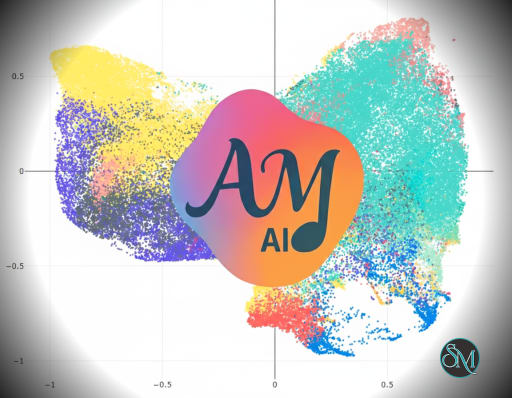
One of the standout features is the interactive Music Map, which displays songs in a two-dimensional space based on their musical similarity. This offers a unique way to explore large music collections visually.
Song Paths
AudioMuse-AI can create smooth transitions between two songs by selecting tracks that gradually bridge the musical differences, making playlists feel more natural and cohesive.
Natural Language Search
Users can search for music using descriptive phrases such as "calm piano music" or "high-tempo low-energy songs." Recent versions also introduce lyric-based semantic search for discovering music by meaning as well as sound.
Self-Hosted and Privacy Focused
All processing is performed locally without uploading music to cloud services. AudioMuse-AI is distributed as Docker containers and supports Docker Compose, Podman, and Kubernetes deployments.
Download AudioMuse-AI v3.0.3 - Software Mirrors |
|---|
AudioMuse-AI v3.0.3 for Windows |
AudioMuse-AI v3.0.3 for macOS |
AudioMuse-AI v3.0.3 for LinuxAudioMuse-AI-aarch64-linux.deb | 1.31 GB AudioMuse-AI-aarch64-linux.rpm | 1.31 GB |
AudioMuse-AI v3.0.3 Release Notes:Release Date: July 20, 2026 AudioMuse AI v3.0.3 significantly improves Unique Catalog song deduplication, reducing false positives where different tracks were previously marked as duplicates. Key improvements include:
[!IMPORTANT] After the update we suggest to: 1. wait that flask container start, it will take around 5-10 minute and unmap the song marked as duplicate for error: it will generate some orphan song. Are not real orphans, are song with missing data; 2. run a cleaning task setting to true the flag to clean the catalogue: it will delete this orphan from the database bringing the database to a clean state; 3. Run an analysis, it will re-analyze the false duplicate.> Depending on how much song was initially marked as duplicate for error this activity can take few hours or more.For discussion about duplicate and orphan song please take a look here: https://github.com/NeptuneHub/AudioMuse-AI/discussions/770#discussioncomment-17700593 The Cleaning functionality has also been enhanced with a new frontend option to clean the Shared Catalog by removing orphan songs that are no longer tracked by any server. |
Performance and User Experience
Once the initial library analysis is complete, playlist generation and music discovery are fast and responsive. Initial analysis may take some time depending on the size of the music library and available hardware, but it only needs to process new or changed tracks afterward. Minimum recommended hardware includes a modern four-core CPU and 8 GB of RAM.
The web interface is clean and continues to improve with features such as a setup wizard, dashboard, multi-user support, and authentication. The project is actively maintained with frequent feature updates and bug fixes.
Pros
Free and open source.
AI analyzes actual audio instead of relying on metadata.
Excellent automatic playlist generation.
Interactive music visualization.
Privacy-friendly local processing.
Supports Jellyfin, Navidrome, Emby, and Lyrion.
Docker and Kubernetes support.
Active development and growing community.
Cons
Initial music analysis can take several hours for large libraries.
Requires self-hosting knowledge.
Benefits are greatest with well-organized local music collections.
Hardware requirements are higher than traditional music library managers.
Who Should Use AudioMuse-AI?
AudioMuse-AI is ideal for self-hosting enthusiasts, audiophiles, Jellyfin and Navidrome users, music collectors, and anyone with a large local music library who wants smarter playlist generation without relying on commercial streaming services.
Users who primarily listen through Spotify, Apple Music, or YouTube Music will benefit less, since AudioMuse-AI is designed for self-hosted collections rather than streaming platforms.
Final Verdict
AudioMuse-AI is one of the most innovative open source projects for self-hosted music libraries. Its AI-powered sonic analysis, intelligent playlist generation, visual music exploration, and privacy-first design offer capabilities that go well beyond traditional music management software.
Although it requires a self-hosted environment and an initial analysis period, the results are impressive. For users running Jellyfin, Navidrome, Emby, or similar platforms, AudioMuse-AI is an excellent addition that can transform how a personal music collection is explored and enjoyed.
Developer:
NeptuneHub
Operating System:
Windows / macOS / Linux
Date Added:
2026-07-22T07:02:11.074Z
Categories:
Post a Comment/Report Broken Link: