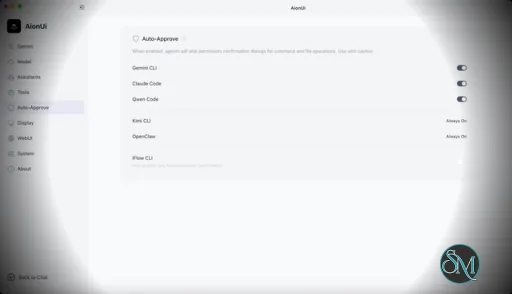
AionUi is a cross platform desktop application that transforms command line AI agents into an intuitive graphical interface. It detects locally installed AI CLI tools and presents them in a structured environment where users can manage conversations, sessions, and files more efficiently.
The software is open source, allowing users to customize and extend its functionality according to their workflow requirements.
Download AionUI v2.1.38 - Software Mirrors |
|---|
Download AionUI v2.1.38
for Windows 64bit (exe) | 290.37 MB Download AionUI v2.1.38
for Windows ARM64 (exe) | 457.58 MB | Download AionUI v2.1.38
for macOS Intel (zip) | 470.7 MB Download AionUI v2.1.38
for macOS Intel (dmg) | 461.19 MB Download AionUI v2.1.38
for macOS ARM64 (zip) | 459.52 MB Download AionUI v2.1.38
for macOS ARM64 (dmg) | 450.21 MB | Download AionUI v2.1.38
for Linux ARM64 (deb) | 401.18 MB Download AionUI v2.1.38
for Linux 64bit (deb) | 428.23 MB |
Highlights
Smarter first-run experience
- The welcome page's default prompt suggestions are now task-oriented — "explain this project", "find duplicate files in this folder", "build me a personal homepage" — so the first click shows real value instead of asking the agent to introduce itself. Available in all 13 languages.
- Prompt suggestions got a cleaner look: plain left-aligned text with a subtle hover arrow, replacing the old full-width bordered cards.
Easier assistant & agent discovery
- The "More" assistants dropdown on the home page is now a wide multi-column panel that opens on hover and adapts its column count to the window size — much faster to scan when you have many assistants installed.
- Agent, Assistant, and Scheduled Task settings pages now have a search box, so you can filter long lists instantly (hidden on mobile where space is tight).
Team mode reliability
- Fixed a deadlock where a team session reclaimed by idle cleanup would silently swallow your next message into the draft box and never recover. Idle-stopped sessions are now treated as recoverable, and the engine broadcasts the stopped status so the UI stays in sync.
Windows installer safety
- The installer now checks CPU architecture before touching the registry. Previously, running an arm64 installer on an x64 machine could damage the existing correct install's registry entries before aborting. Error messages now report the actual detected architecture (e.g.
target=arm64 actual=x64).
Engine updates (AionCore v0.1.48 → v0.1.49, Aion CLI runtime v0.2.5 → v0.2.6)
- 18 new built-in agents synced from the public ACP Registry: Amp, Devin, Junie (JetBrains), Grok Build, Kilo, Cursor Agent, GLM Agent, Poolside, Nova, DeepAgents, Cortex Code, VT Code, Autohand Code, Stakpak, Dirac, DimCode, siGit Code, and Corust Agent. Each requires its own product CLI installed on your PATH — AionUi detects the CLI and manages the ACP connection with pinned, validated package versions.
- OpenAI Responses API support: the Aion CLI runtime (aionrs) now speaks the Responses API, and GPT-5.6 requests are routed through it for better compatibility.
- Streaming errors now come with sanitized diagnostics, making provider stream failures easier to report and debug (cancelled streams no longer produce noise).
- Added a conversation rename command.
- Idle-cleanup timeouts are longer by default and can be tuned via environment variables, so long-running sessions are reclaimed less aggressively.
- Max token limits are no longer incorrectly applied to AionUi requests.
Bug Fixes
- The keep-awake (prevent system sleep) setting is now applied by the backend engine, fixing cases where it silently didn't take effect. If keep-awake wasn't working for you before, toggle the setting off and on once after upgrading.
What's Changed
- feat(settings): add agent and assistant search by @kaizhou-lab in https://github.com/iOfficeAI/AionUi/pull/3616
- fix(settings): hide agent search on mobile by @kaizhou-lab in https://github.com/iOfficeAI/AionUi/pull/3617
- fix(team): treat idle-stopped session as recoverable, not a draft-box block by @piorpua in https://github.com/iOfficeAI/AionUi/pull/3618
- fix(installer): run arch check before registry mutation by @tcp404 in https://github.com/iOfficeAI/AionUi/pull/3619
- fix(system): let backend own keep-awake blocker by @kaizhou-lab in https://github.com/iOfficeAI/AionUi/pull/3620
- feat(guid): expand assistant more dropdown into responsive multi-column panel by @IceyLiu in https://github.com/iOfficeAI/AionUi/pull/3621
- feat(guid): task-oriented default prompts with refined suggestion styling by @IceyLiu in https://github.com/iOfficeAI/AionUi/pull/3622
- chore: bump version to 2.1.38 by @piorpua in https://github.com/iOfficeAI/AionUi/pull/3625
Full Changelog: v2.1.37...v2.1.38
|
Key Features
Multi Agent Support
AionUi allows users to run multiple AI sessions simultaneously. Each session maintains its own context, enabling parallel workflows without cross interference.
Modern Chat Interface
The application provides a clean and organized chat environment. Users can scroll through conversation history, manage session tabs, and interact with AI responses in a visually structured format.
Smart File Management
AionUi includes drag and drop support, file previews, and structured file browsing. This improves productivity when working with code, documents, or AI generated content.
Multi Model Compatibility
The software supports various AI models through local or API based configurations. Users can switch between models depending on task requirements.
Session Control and Workflow Tools
Users can manage sessions independently, review outputs, and maintain organized AI workflows. This structure helps reduce clutter when working on complex tasks.
Cross Platform Availability
AionUi runs on major operating systems, ensuring accessibility for developers working in different environments.
Ease of Use
The interface is designed to simplify complex AI workflows. While some familiarity with AI tools is helpful, the graphical layout significantly reduces the learning curve compared to pure command line usage.
Navigation is intuitive, and core features are accessible without excessive configuration.
Performance and Compatibility
AionUi operates efficiently as a desktop application. Performance depends partly on the underlying AI services or APIs being used, but the interface itself remains responsive during normal use.
Compatibility with standard AI command line tools ensures flexibility for technical users.
Final Verdict
AionUi is a powerful desktop interface for managing AI command line tools in a structured and visual way. Its ability to handle multiple sessions, integrate different models, and organize workflows makes it a valuable productivity solution for advanced users.
For professionals seeking greater control and efficiency in AI driven projects, AionUi delivers a practical and modern solution.
AionUi is a free and open source desktop application that provides a modern graphical interface for command line AI tools. It is designed to simplify AI workflows by replacing terminal based interaction with a visual environment that supports multiple AI models, parallel sessions, and productivity focused features. AionUi is suitable for developers, researchers, and advanced users who want a unified way to manage AI driven tasks.
Post a Comment/Report Broken Link: