DesktopOK is a lightweight Windows application that lets users save and restore desktop icon positions. It runs without installation and focuses on doing one job efficiently.
DesktopOK is a small but highly practical utility designed to solve a surprisingly common problem: desktop icons moving around unexpectedly. Whether caused by resolution changes, system updates, or multiple monitor setups, this tool ensures your desktop stays exactly the way you want it.
This makes it especially useful for users who frequently change display settings or work with multiple screens.
Download DesktopOK - Software Mirrors |
|---|
Download DesktopOK for Windows Portable Download DesktopOK for Windows Installer Download DesktopOK for Windows Portable 64bit |
Key Features of DesktopOK
Save and Restore Icon Layouts
DesktopOK allows you to capture the exact position of your desktop icons and restore them anytime with a single click.Automatic Backups
You can schedule automatic saves at set intervals, ensuring your layout is always backed up without manual action.Multiple Layout Profiles
The software supports multiple saved layouts. This is useful if you switch between different screen resolutions or monitor setups.Portable Application
DesktopOK does not require installation. You can run it directly from a USB drive or any folder, making it convenient and flexible.Low Resource Usage
The application is extremely lightweight and runs quietly in the background without affecting system performance.
User Experience
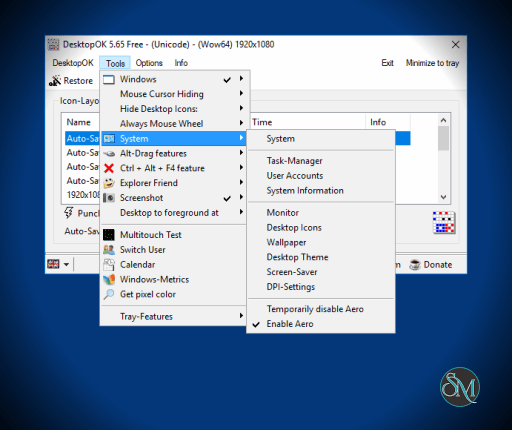
DesktopOK is straightforward and easy to use. The interface may look basic, but it is functional and efficient. Even first time users can understand how to save and restore layouts within minutes.
The simplicity is intentional, focusing on reliability rather than visual design.
Performance and Compatibility
DesktopOK performs reliably across different versions of Windows. It works well with single and multi monitor setups, though results can vary slightly depending on display configurations.
Because it is portable and lightweight, it is suitable for both older and modern systems.
Pros
Simple and effective functionality
Portable with no installation required
Supports multiple layout profiles
Automatic backup options
Very lightweight
Cons
Interface feels outdated
Limited to a single core function
Occasional inconsistencies with complex multi monitor setups
DesktopOK is ideal for users who frequently experience desktop icon rearrangement issues. It is especially useful for professionals working with multiple monitors or changing resolutions regularly.
DesktopOK excels at solving a specific problem with precision and simplicity. While it lacks advanced features, its reliability and ease of use make it an essential utility for maintaining desktop organization.
Developer:
SoftwareOK
Operating System:
Windows
Date Added:
2026-05-05T13:33:56.000Z
Categories:
Post a Comment/Report Broken Link: