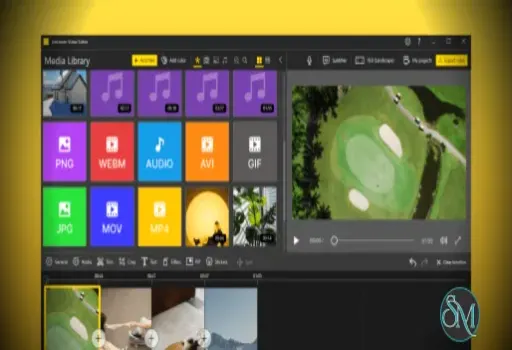
Icecream Video Editor is a video editing program developed by Icecream Apps. The software allows users to create and edit videos by combining clips, images, audio, and effects on a timeline.
It is designed primarily for Windows computers and focuses on simplicity and ease of use rather than advanced professional editing features.
Buy Icecream Video Editor with discount coupon - Software Mirrors |
|---|
Key Features of Icecream Video Editor
Timeline Based Editing
Icecream Video Editor uses a timeline interface where users can place video clips, photos, and audio tracks to create a complete video project.
Users can arrange scenes in order and easily modify the structure of a project by dragging and dropping elements.
Trim, Split, and Merge Videos
The software allows users to cut and combine clips with simple editing tools.
Key editing actions include:
Trim the beginning or end of a clip
Split videos into separate scenes
Merge multiple clips into one video
These features help users quickly remove unwanted footage and organize video content.
Add Music and Voiceover
Icecream Video Editor allows users to add background music or voice narration to their videos.
Audio features include:
Adding music tracks
Adjusting volume levels
Fade in and fade out effects
Recording voiceovers directly inside the editor
These tools help create more engaging video content.
Transitions and Visual Effects
The editor includes built in transitions and effects to improve video presentation.
Users can apply:
Scene transitions
Motion effects
Video filters
Text titles and captions
More than twenty transitions and several motion effects are available to blend scenes smoothly.
Text and Subtitle Support
Users can add text overlays or subtitles to videos. The software provides presets for titles, while also allowing customization of:
Font
Color
Size
Position
Subtitles can also be imported using SRT files for better caption management.
Speed Control and Video Adjustments
Icecream Video Editor allows users to adjust video playback speed from slow motion to fast playback.
Additional video adjustments include:
Cropping video frames
Rotating or flipping clips
Resizing videos to different aspect ratios
These options help adapt videos for platforms such as social media or presentations.
Supported File Formats
The software supports many popular media formats, including:
Video: MP4, AVI, MOV, WEBM
Images: JPG, PNG, GIF
Audio: MP3, WAV
This compatibility allows users to combine different media types in a single project.
Performance and Usability
Icecream Video Editor is known for its beginner friendly interface and straightforward workflow. Most editing tasks can be performed through drag and drop operations and simple menus.
The program also supports 4K video editing on modern Windows systems, allowing users to work with higher resolution footage.
Because the software focuses on simplicity, it generally runs well on average computers with moderate hardware requirements.
Pros and Cons
Advantages
Easy to use interface suitable for beginners
Timeline based editing system
Supports many video and audio formats
Includes transitions, effects, and text tools
Voiceover recording support
Limitations
Advanced professional features are limited
Free version restricts video length and project complexity
Windows only application
The Pro version removes some limitations such as output length and timeline restrictions.
Who Should Use Icecream Video Editor
Icecream Video Editor is suitable for:
Beginners learning video editing
Content creators making simple videos
Teachers creating educational videos
Social media creators producing short clips
Small businesses producing promotional videos
Users who require advanced professional editing may need more powerful video editing software.
Final Verdict
Icecream Video Editor is a simple and accessible video editing solution for Windows users. With timeline editing, audio tools, transitions, and subtitle support, it provides the essential features needed for everyday video editing tasks.
While it may not replace professional editing suites, Icecream Video Editor is a reliable choice for beginners and casual creators who want a straightforward tool to produce polished videos quickly.
Video editing software is essential for creating tutorials, social media content, presentations, and personal projects. Icecream Video Editor is a desktop video editing application designed for beginners and casual creators who want to edit videos quickly without complex tools.
Developer:
Icecream Apps Ltd
Operating System:
Windows
Date Added:
2026-04-27T12:01:27.890Z
Categories:
Post a Comment/Report Broken Link: