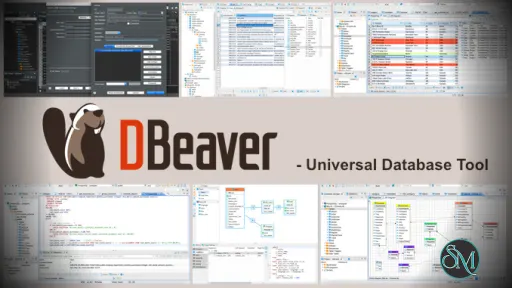
DBeaver Community Edition is a universal database client that allows users to connect to multiple database types from a single application. It provides tools for writing SQL queries, browsing database objects, and exporting data.
DBeaver CE is ideal for users who need a flexible and cross platform database management solution without licensing costs.
Download DBeaver 26.1.4 Community Edition - Software Mirrors | ||
|---|---|---|
Download DBeaver 26.1.4 Community Edition Download DBeaver 26.1.4 Community Edition Download DBeaver 26.1.4 Community Edition Download DBeaver 26.1.4 Community Edition | ||
What's New in DBeaver 26.1.4 Community Edition
- AI assistant:
    - AI Chat is now accessible via keyboard (added some shortcuts)
    - Added the ability to always open AI-generated scripts in a new SQL console
    - Fixed models that do not support temperature dynamically
    - No model is selected by default when creating an engine configuration for Open AI. Users need to select a model manually
- SQL Editor:
    - Fixed an issue when all result tabs showed the same query after executing a script with multiple queries
    - Fixed tab color update when changing the connection in SQL Console (thanks to @anantgupta001)
- Data Editor:
    - Fixed paste with Ctrl+V in Find/Replace panel
    - Fixed Find/Replace in the Value panel
    - Fixed an issue where maximization did not work correctly when Find/Replace was open
- Metadata Editor: Column key icons are displayed again
- Data Transfer: Redesigned table mapping in database to database migration
- Task Management: Fixed the ability to sort tasks moved to the new folder
- Connectivity:
    - Added support for retrieving passwords from a shell command for native database authentication (thanks to @kgns)
- Security: Fixed the high vulnerability (CVE-2026-10050) in the jetty-security library. The library was updated to version 12.1.11
- Miscellaneous:
    - Added the "link-project" command to import a project using command line
    - Fixed log viewer colors in the dark theme (thanks to @anantgupta001)
    - Fixed connection type colors broken after the update to the new Eclipse version
- Databases:
    - Altibase: Added support for the JSON data type in Altibase 8.1 (thanks to @zennken)
    - BigQuery: The official BigQuery driver is now used by default, and the previous Simba driver was renamed to BigQuery (Legacy)
    - ClickHouse:
        - ClickHouse driver was updated to version 0.10.0
        - Improved JSON display in the Value panel (thanks to @bakhtiiartashbolotov)
    - CUBRID: Fixed connection fails caused by metadata loading (thanks to @longhaseng52)
    - Firebird: Added the ability to connect to Firebird Embedded (thanks to @fdcastel)
    - PostgreSQL:
        - PostgreSQL driver was updated to version 42.7.13 (Fixed CVE-2026-54291)
        - Fixed the ability to backup selected tables
        - Fixed generated calls for procedures with OUT parameters (thanks to @HellAmbro)
        - Fixed an error that occurred when applying filters to database nodes (thanks to @anantgupta001)
    - Redshift: Schemas are now visible only to users with the USAGE privilege or higher
    - SAP HANA: Improved the message in the license renewal dialog (thanks to @kai-morich)
    - Starrocks driver was updated to version 1.1.2 (thanks to @chris-celerdata)
    - Snowflake: Fixed connection using the sample URL
| ||
Key Features of DBeaver CE
DBeaver CE focuses on usability and broad compatibility.
Main features include:
Support for popular databases such as MySQL, PostgreSQL, SQLite, MariaDB, Oracle, and SQL Server
SQL editor with syntax highlighting and auto completion
Database object browser and data viewer
ER diagrams and schema visualization
Data import and export tools
Transaction management and query history
Plugin based architecture
These features make it suitable for both development and analysis tasks.
Supported Databases and Platforms
DBeaver Community Edition runs on:
Windows
macOS
Linux
It supports JDBC based databases, allowing connection to many relational database systems using drivers.
Some advanced database features are available only in the Enterprise edition, but the Community Edition covers most everyday needs.
Performance and Stability
DBeaver CE performs well with small to medium sized databases. Query execution is reliable, and the data viewer handles large tables with pagination and filtering.
Because it is Java based, startup time and memory usage can be higher compared to lightweight native tools, but overall stability is strong.
Ease of Use
The interface is intuitive for users familiar with database tools. Beginners may need some time to explore the available features, but the layout is logical and well organized.
Saved connections and query history help improve workflow efficiency.
Is DBeaver CE Safe to Use
Yes, DBeaver Community Edition is safe when downloaded from the official website or trusted repositories. It is open source, contains no ads, and does not include tracking or bundled software.
Users maintain full control over their database connections and credentials.
Pros and Cons of DBeaver CE
Pros:
Free and open source
Wide database compatibility
Cross platform support
Powerful SQL editor
Active community and regular updates
Cons:
Higher memory usage due to Java
Some advanced features require paid edition
Interface may feel heavy on older systems
Despite these limitations, DBeaver CE remains a top choice.
Common Use Cases
DBeaver Community Edition is commonly used for:
SQL development and testing
Database administration tasks
Data analysis and exploration
Managing multiple database systems
Exporting and reporting data
Its flexibility makes it popular across industries.
Final Verdict
DBeaver Community Edition is one of the best free database management tools available today. It offers strong features, wide compatibility, and a reliable user experience without licensing costs.
DBeaver Community Edition is a powerful and free database management tool used by developers, database administrators, and data analysts around the world. It supports a wide range of database systems and provides a clean interface for managing, querying, and analyzing data.
Post a Comment/Report Broken Link: