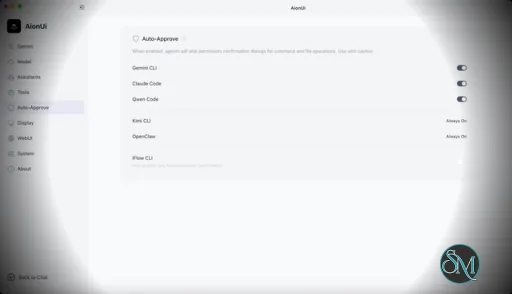
AionUi is a cross platform desktop application that transforms command line AI agents into an intuitive graphical interface. It detects locally installed AI CLI tools and presents them in a structured environment where users can manage conversations, sessions, and files more efficiently.
The software is open source, allowing users to customize and extend its functionality according to their workflow requirements.
AionUI v2.1.54 Release Notes - Software Mirrors | ||
|---|---|---|
What's Changed
| ||
Key Features
Multi Agent Support
AionUi allows users to run multiple AI sessions simultaneously. Each session maintains its own context, enabling parallel workflows without cross interference.
Modern Chat Interface
The application provides a clean and organized chat environment. Users can scroll through conversation history, manage session tabs, and interact with AI responses in a visually structured format.
Smart File Management
AionUi includes drag and drop support, file previews, and structured file browsing. This improves productivity when working with code, documents, or AI generated content.
Multi Model Compatibility
The software supports various AI models through local or API based configurations. Users can switch between models depending on task requirements.
Session Control and Workflow Tools
Users can manage sessions independently, review outputs, and maintain organized AI workflows. This structure helps reduce clutter when working on complex tasks.
Cross Platform Availability
AionUi runs on major operating systems, ensuring accessibility for developers working in different environments.
Ease of Use
The interface is designed to simplify complex AI workflows. While some familiarity with AI tools is helpful, the graphical layout significantly reduces the learning curve compared to pure command line usage.
Navigation is intuitive, and core features are accessible without excessive configuration.
Performance and Compatibility
AionUi operates efficiently as a desktop application. Performance depends partly on the underlying AI services or APIs being used, but the interface itself remains responsive during normal use.
Compatibility with standard AI command line tools ensures flexibility for technical users.
Final Verdict
AionUi is a powerful desktop interface for managing AI command line tools in a structured and visual way. Its ability to handle multiple sessions, integrate different models, and organize workflows makes it a valuable productivity solution for advanced users.
For professionals seeking greater control and efficiency in AI driven projects, AionUi delivers a practical and modern solution.
AionUi is a free and open source desktop application that provides a modern graphical interface for command line AI tools. It is designed to simplify AI workflows by replacing terminal based interaction with a visual environment that supports multiple AI models, parallel sessions, and productivity focused features. AionUi is suitable for developers, researchers, and advanced users who want a unified way to manage AI driven tasks.
Post a Comment/Report Broken Link: