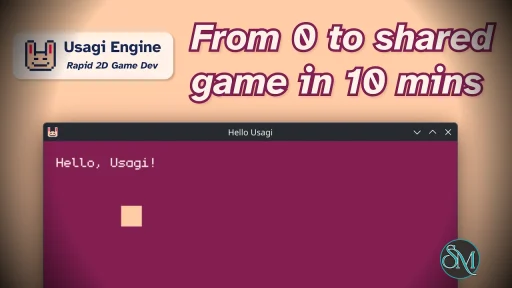
Usagi Engine is a lightweight game development engine designed for creating 2D and 3D games with an emphasis on performance and developer control.
The engine is generally discussed within indie and experimental development circles rather than mainstream commercial game development ecosystems.
Usagi Engine prioritizes a modular architecture and streamlined workflow instead of massive integrated marketplaces or enterprise tooling systems.
Usagi Engine is an independent game engine project aimed at developers who prefer lightweight tooling, clean architecture, and direct control over the game development process. Unlike massive commercial engines that prioritize all in one ecosystems, Usagi Engine focuses more on flexibility, low level performance, and minimal overhead.
Although still relatively niche compared to major engines, it has attracted curiosity among indie developers and engine programming enthusiasts looking for alternatives to increasingly heavy mainstream game engines.
Key Features of Usagi Engine
Lightweight Architecture
Usagi Engine focuses on keeping the engine relatively lean compared to larger commercial competitors, helping reduce unnecessary overhead.2D and 3D Rendering Support
The engine supports both 2D and 3D game development workflows depending on the project configuration and rendering systems used.Developer Oriented Design
Usagi Engine appears targeted toward programmers and technical users who prefer direct engine level control instead of highly abstracted visual scripting systems.Performance Focused Workflow
The project emphasizes efficiency and responsiveness, which can appeal to developers working on optimized or experimental projects.Modular Structure
The engine architecture allows developers to adapt and extend systems rather than relying entirely on fixed workflows.
Download Usagi Engine v1.1.0 - Software Mirrors |
|---|
Download Usagi Engine v1.1.0 for Windows Download Usagi Engine v1.1.0 for macOS Download Usagi Engine v1.1.0 for Linux Download Usagi Engine v1.1.0 for Linux |
Usagi Engine v1.1.0 Release Notes:Useusagi update to get the latest version or download below. Be sure to runusagi refresh in your projects to get the latest docs and completion updates!Features:
to a Love2D 11.5 project. Walks the source tree, rewrites compound-assignment operators ( x += 1 → x = x + (1)) for LuaJIT compat, copies all assetsverbatim, and drops in the Love shim runtime ( usagi_shim.lua + conf.lua)plus the bundled monogram font when the source has no custom font.png.Refuses to overwrite an existing destination. Intended as a graduation path when a project needs iOS / Android, more action buttons, more robust APIs, or other Love-only features. See the new "Graduating to Love2D" section in README.md for the workflow and what's intentionally not carried over (pause menu, input remapping, shader hooks, hot reload, FPS overlay).
usagi- and produced by`usagi export --target linux-aarch64 (also included in --target all`).Covers Raspberry Pi, ARM Linux handhelds, ARM SBCs, and ARM Linux VMs. #270
or architecture. This lets devs on platforms outside the published-template set (e.g., macOS Intel, FreeBSD) build the engine from source and export for themselves. Output filename is the default --target all also produces this zip alongside the publishedbuilds, so the dev doesn't have to know about the flag. See Building for unsupported platforms in the README. #273
debug.getinfo / debug.traceback for logger line numbers, and embedstep-debuggers like debugger.lua. Note that this exposes the full library, including debug.setlocal / debug.setupvalue / debug.sethook. Those cancorrupt the VM if misused, so treat them with care. #267
to include. Pass a comma-separated list of names, with all (default) andnone as special values and a - prefix for subtraction. Known scripts:latin, latin-ext, greek, cyrillic, punct, cjk-punct, hiragana,katakana, hangul (alias: korean), cjk (alias: han), halfwidth.Examples: --scripts all,-cjk to drop Han ideographs, or--scripts latin,korean for a Korean-only atlas. The --no-cjk flag is nowdeprecated and prints a warning; it stays as an alias for --scripts all,-cjkand will be removed in a future major release. #287 Fixes:
constant has always existed at runtime (slot 0, pure white), but the stubomitted it, so editors flagged gfx.COLOR_TRUE_WHITE as undefined. The stub'spalette docstring also wrongly claimed slot 0 renders as a magenta sentinel;it resolves to true white, and only indices above the active palette's length render as magenta.
meta/usagi.lua.
[usagi] log prefix relies on ANSI escape sequences; modern Windows 10+conhost understands them but only after a process opts in via SetConsoleMode. Windows Terminal and PowerShell inherit the opt-in from theparent process, but bare cmd.exe does not, so previously the sequencesprinted as raw bytes ( [32m[usagi][0m ...). Usagi now opts in once atstartup; on truly pre-Win10 hosts where the opt-in fails, color is suppressed and the plain [usagi] prefix path takes over.#286
(Vietnamese precomposed forms) by default. Previously these blocks were excluded, so even a font with full Korean or Vietnamese coverage produced an atlas where every Hangul or Vietnamese codepoint rendered as ?. Theexamples/custom_font demo now includes a Korean line to verify coverage endto end. #287
longer breaks usagi tools and usagi export; see#264
v1.0.0) no longer aborts the process on Windows; the error surfaces on the in-game overlay like other malformed calls. As part of the fix, short-arg calls to any wrapped engine API now report the missing argument by index ("bad argument #N to '...' (T expected, got nil)") rather than a confusing "bad argument #1 to 'type'" message. #259
#255
sfx now has a pool of 8 voices that overlap; the 9th simultaneous play steals the oldest. #258
canvas and blits scaled (with letterbox bars) to fit any window size. Launches at the largest integer canvas multiple that fits the current monitor. #269
browser's right click menu. See https://codeberg.org/brettchalupa/usagi/issues/13 |
User Experience
Usagi Engine feels more like a technical developer platform than a beginner friendly drag and drop game creation tool.
Developers with programming experience will likely appreciate the cleaner architecture and reduced complexity compared to extremely large engines.
However, beginners may find the ecosystem difficult due to limited tutorials, smaller community support, and fewer ready made assets compared to engines like Unity or Unreal Engine.
The experience depends heavily on the developer’s comfort level with engine programming concepts.
Performance and Compatibility
Lightweight engines often perform well because they avoid many background systems and enterprise scale integrations found in larger engines.
Usagi Engine’s smaller footprint can make iteration faster and resource usage lower, especially for indie scale projects.
That said, niche engines frequently face limitations in tooling maturity, third party integrations, platform support, and documentation quality compared to industry dominant engines.
Community and Ecosystem
One challenge for Usagi Engine is ecosystem size.
Large engines benefit from enormous marketplaces, plugin libraries, tutorial ecosystems, and community troubleshooting resources. Smaller engines naturally struggle to compete in those areas.
Still, some developers specifically prefer smaller projects because they allow greater transparency, customization, and technical understanding of the engine internals.
Pros
Lightweight and performance focused
Cleaner architecture than many large engines
Flexible and modular design
Good for technical developers
Lower system overhead
Cons
Much smaller community ecosystem
Limited tutorials and learning resources
Less mature tooling compared to major engines
Not beginner friendly
Fewer plugins and ready made assets
Usagi Engine is best suited for experienced programmers, experimental developers, engine enthusiasts, and indie creators who prefer lightweight development environments with greater low level control.
Beginners or teams requiring large production ecosystems may be better served by more established engines.
Usagi Engine offers an interesting alternative approach to modern game development with its lightweight architecture and developer focused philosophy. While it lacks the ecosystem strength and maturity of mainstream engines, it remains an appealing option for technical users seeking simplicity, flexibility, and performance oriented workflows.
Developer:
Brett Chalupa
Operating System:
Windows / macOS / Linux
Date Added:
2026-06-05T10:01:30.420Z
Categories:
Post a Comment/Report Broken Link: