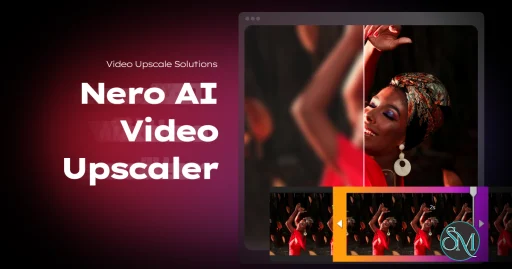
Nero AI Video Upscaler is a Windows-based video enhancement application that uses artificial intelligence to upscale video resolution and improve visual quality.
The software is designed to process videos ranging from older SD recordings to HD content, generating higher-resolution output with enhanced detail, improved sharpness, and reduced visual imperfections.
Unlike conventional video editors, Nero AI Video Upscaler focuses specifically on automated AI-assisted enhancement rather than comprehensive video production workflows.
Nero AI Video Upscaler is a specialized video enhancement tool designed to improve video quality using artificial intelligence. Rather than relying on traditional scaling methods that simply stretch pixels, the software uses AI models to reconstruct details, sharpen footage, reduce artifacts, and increase output resolution.
As AI-powered media enhancement continues to grow in popularity, Nero AI Video Upscaler aims to provide a user-friendly solution for creators, home users, and media enthusiasts who want to improve older or lower-resolution videos without learning professional video restoration software.
Key Features of Nero AI Video Upscaler
AI Video Upscaling
The core feature is AI-driven video enlargement that can increase resolution while attempting to preserve and reconstruct visual details.
The software is designed to produce more natural results than standard interpolation techniques.
Video Sharpening
AI models can enhance edge definition and perceived detail, helping older videos appear clearer on modern displays.
Noise Reduction
The software includes tools to reduce compression artifacts, digital noise, and visual degradation often found in archived footage.
Multiple Resolution Targets
Users can upscale videos to higher resolutions suitable for modern monitors, televisions, and online platforms.
Batch Processing
Multiple videos can be processed in sequence, making the software useful for larger media libraries and archival projects.
User-Friendly Workflow
The interface is designed to simplify AI enhancement, allowing users to process videos without requiring advanced editing knowledge.
User Experience
Nero AI Video Upscaler emphasizes accessibility.
The workflow is straightforward:
Import a video
Select enhancement settings
Choose output resolution
Start processing
This simplicity makes the software approachable for users who want AI-enhanced results without spending time learning professional restoration tools.
The interface follows Nero's modern design philosophy and integrates well with other products in the Nero ecosystem.
Video Quality and AI Performance
The effectiveness of AI upscaling depends heavily on the quality of the source material.
Videos that are reasonably clean but low in resolution often benefit the most. Older DVDs, camcorder footage, web videos, and archived recordings can show noticeable improvements in sharpness and detail.
However, AI enhancement is not magic.
Extremely compressed, heavily damaged, or very low-quality footage may still exhibit limitations after processing. While AI can estimate missing details, it cannot fully restore information that was never present in the original recording.
Results generally compare favorably with basic scaling methods and often produce more visually appealing output on large displays.
Performance and Hardware Requirements
AI video processing is computationally intensive.
Users with modern GPUs will experience significantly faster processing times than those relying solely on CPUs. Processing speed varies depending on:
video length
source resolution
output resolution
selected enhancement settings
hardware configuration
High-resolution projects can take substantial time to complete, especially on older systems.
Practical Use Cases
Nero AI Video Upscaler works particularly well for:
DVD video enhancement
home movie restoration
archived footage improvement
social media content upgrades
educational video preservation
family video collections
media library modernization
It is especially attractive to users who want better-looking footage on modern 4K displays.
Limitations
Although the software can improve many videos, expectations should remain realistic.
AI enhancement cannot truly recreate missing information with perfect accuracy. Some videos may show artificial textures, oversharpening, or occasional visual inconsistencies depending on the source material.
Professional restoration studios and advanced AI tools may provide greater control, but they often require considerably more expertise and time.
Additionally, long video projects can require significant processing resources.
Pros
Easy-to-use interface
AI-powered enhancement technology
Effective for many low-resolution videos
Useful noise reduction capabilities
Batch processing support
Suitable for archived media collections
No advanced editing knowledge required
Cons
Processing can be time-consuming
Results vary based on source quality
Requires strong hardware for optimal performance
Limited editing capabilities outside enhancement tasks
AI cannot fully restore severely degraded footage
Nero AI Video Upscaler is ideal for home users, media collectors, content creators, and anyone looking to improve older video content for modern displays.
It is particularly useful for users with large libraries of DVDs, archived recordings, family videos, or lower-resolution footage that would benefit from AI-assisted enhancement.
Professional video restoration specialists may still prefer more advanced restoration platforms with deeper manual controls.
Nero AI Video Upscaler provides a practical and accessible approach to AI-powered video enhancement. Its combination of automated upscaling, sharpening, and noise reduction makes it an attractive solution for users seeking to modernize older video collections without the complexity of professional restoration software. While results depend heavily on source quality and available hardware, the software delivers meaningful improvements for many real-world video enhancement scenarios.
Developer:
Nero AG and Subsidiaries
Operating System:
Windows
Date Added:
2026-06-02T11:43:22.000Z
Categories:
Post a Comment/Report Broken Link: