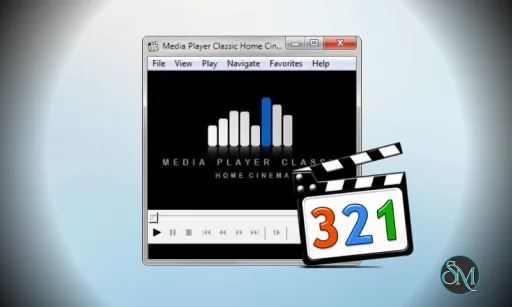
Media Player Classic Home Cinema is a free, open-source media player for Windows. It is lightweight, fast, and capable of playing a wide range of audio and video formats with minimal configuration. MPC-HC mimics the look of old classic media players but incorporates modern codec support.
Because it does not rely on heavy frameworks or subscription models, Media Player Classic Home Cinema is a favorite for users who want dependable playback without clutter.
Download Media Player Classic - Home Cinema (MPC-HC) 2.7.2 - Software Mirrors |
|---|
Download MPC-HC for Windows 64bit (Installer) Download MPC-HC for Windows 64bit (Portable) |
Media Player Classic - Home Cinema (MPC-HC) 2.7.2 Release Notes: [Donations](https://github.com/clsid2/mpc-hc/issues/383) are appreciated. There is now a PayPal option. ### Changes from 2.7.1 to 2.7.2: Updates: * Updated LAV Filters to version 0.81-23-g6fadb * Updated MPC Video Renderer to version 0.10.2.2540 * Updated MediaInfo DLL to version 26.05 * Updated MPC Audio Renderer Fixes: * Several crash fixes, bug fixes and small improvements. ### OpenSubtitles download error 406 Subtitle downloads from OpenSubtitles may fail depending on time of day. This is due to our daily download quota being exceeded. Current amount of donations is barely enough to pay for the existing quota. So it is unlikely that quota can be increased and situation will get worse over time. If you create an [OpenSubtitles](https://www.opensubtitles.com) account and configure it in MPC-HC settings then you may be able to bypass the quota. Options > Subtitles > Misc > Right-click on OpenSubtitles.com > Setup > Fill in username/password ### Overview of features A lot of people seem to be unaware of some of the awesome features that have been added to MPC-HC in the past years. Here is a list of useful options and features that everyone should know about: * Play HDR video This requires using either MPC Video Renderer (MPCVR) or [madVR](http://forum.doom9.org/showthread.php?t=146228). These renderers can be selected here: Options > Playback > Output With other video renderers, the colors will be wrong! MPCVR is now included and is the recommended renderer for modern systems. MadVR needs to be installed separately. MPCVR also supports Dolby Vision. MadVR does not. For optimal performance you should change the hardware decoder to D3D11 in LAV Video Decoder settings when using MPCVR on Windows 10/11, because this renderer uses DirectX11. (Automatic detection of GPU and configuration of the above settings is high on my ToDo list, so MPC-HC will have better default out-of-the-box settings on modern systems in the future.) * The installer of MPC-HC is very basic (and that will not change). I therefore recommend using [K-Lite Codec Pack](http://codecguide.com/download_kl.htm). That includes MPC-HC and other essential components. It has a very advanced installation that can automatically create file associations, and helps you with easy configuration of important MPC-HC settings, such as preferred subtitle language. It also does automatic configuration of renderer and hardware decoding, for best performance and HDR support. The Standard version should be sufficient for most people. Use Full version of you like to use MadVR. * Modern GUI Theme (Dark or Light) or the old classic theme Options > Player > User Interface It is also possible to change the height of the seekbar and size of the toolbar buttons. Plus there are options to show audio/video details in the statusbar, such as codec and resolution. * Customizable toolbar buttons You can add/remove/re-order the player buttons. There are also several different toolbar designs to choose from. * Video preview on the seekbar Options > Player > User Interface > Hover type * Ability to search for subtitles Press D for manual search. Or enable automatic search in: Options > Subtitles > Misc * Adjust playback speed Menu > Play > Playback rate The buttons in the player that control playback rate take a 2x step by default. This can be customized to smaller values (like 10%): Options > Playback > Speed step Adjusting playback speed works best with the internal audio renderer. This also has automatic pitch correction. Options > Playback > Output > Audio Renderer * MPC-HC can remember recently played files and also their playback position, so you can resume playback from when you left Options > Player > History * You can quickly seek through a video with Ctrl + Mouse Scrollwheel. * You can jump to next/previous file in a folder by pressing PageUp/PageDown. * You can right-click on the framestep button to step backwards. Some other buttons also have right-click actions, such as closing file by right-clicking stop. * You can perform automatic actions at end of file. For example to go to next file or close player. Options > Playback > After Playback (permanent setting) Menu > Play > After Playback (for current file only) * A-B repeat You can loop a segment of a video. Press [ and ] to set start and stop markers. * You can rotate/flip/mirror/stretch/zoom the video Menu > View > Pan&Scan This is also easily done with hotkeys (see below). * There are lots of keyboard hotkeys and mouse actions to control the player. They can be customized as well. Options > Player > Keys Tip: there is a search box above the table. * You can hide GUI elements even in windowed mode Options > User Interface > Hide Windowed Controls That hides most GUI elements during playback. To show them simply move your mouse to bottom of window. You can even hide everything except the video by pressing `1` (restore normal view with `3`). * You can seek inside the playlist by simply typing text (when playlist window has the mouse focus). * MPC-HC also supports Blu-ray playback. Only limitation is that you need to use a decrypting tool. And it also does not support Blu-ray menus, but you can use the navigate menu in the player to select the content to play. * You can stream videos directly from Youtube and many other video websites Put [yt-dlp.exe](https://github.com/yt-dlp/yt-dlp/releases) in the MPC-HC installation folder. Then you can open website URLs in the player: Menu > File > Open File/URL You can even download those videos: Menu > File > Save a copy Tip: to be able to download in best quality with yt-dlp, it is recommended to also put [ffmpeg.exe](https://www.gyan.dev/ffmpeg/builds/) in the MPC-HC folder. Several YDL configuration options are found here: Options > Advanced This includes an option to specify the location of yt-dlp.exe in case you don't want to put it in MPC-HC folder. Note 1: You also need to install [Microsoft Visual C++ 2010 SP1 Redistributable Package (x86)](https://download.microsoft.com/download/1/6/5/165255E7-1014-4D0A-B094-B6A430A6BFFC/vcredist_x86.exe) Note 2: For optimal Youtube support you may also need to put [deno.exe](https://github.com/denoland/deno/releases) in same folder as yt-dlp. Note 3: yt-dlp [nightly build](https://github.com/yt-dlp/yt-dlp-nightly-builds/) (very latest version made daily) Note 4: yt-dlp [windows7](https://github.com/nicolaasjan/yt-dlp/releases) compatible build * Besides all these (new) features, there have also been many bugfixes and internal improvements in the player in the past years that give better performance and stability. It also has updated internal codecs. Support was added for CUE sheets, WebVTT subtitles, etc. * You should really take a few minutes to look through all the options pages if you are a new user or if you are upgrading from a very old version. Don't forget the advanced options page. ### MPC Video Renderer [Frequently Asked Questions](https://github.com/clsid2/mpc-hc/issues/2869) |
Key Features of Media Player Classic Home Cinema
Wide Format Support
MPC-HC supports almost every popular media format out of the box, including:
AVI, MP4, MKV
MOV, WMV, FLV
MP3, AAC, FLAC, OGG
Blu-ray and DVD playback with menus
This broad compatibility means you rarely need extra codecs or plugins.
Lightweight and Fast
Media Player Classic Home Cinema launches quickly and runs smoothly even on older hardware. Its small footprint makes it ideal for low-resource systems or users who value performance.
Simple Interface
MPC-HC keeps the interface minimal and familiar. Controls are intuitive, and the player avoids cluttered menus or ads. This simplicity makes it easy for beginners while still satisfying power users.
Subtitle and Audio Track Support
The player supports multiple subtitle formats, including SRT, ASS, and SSA. You can switch audio tracks, adjust sync, and customize subtitle display easily.
Customization and Extensions
Although lightweight, MPC-HC offers useful options like:
Playback speed control
Video filters and renderer settings
Keyboard shortcuts
Integration with external codecs if needed
Advanced customization is available without overwhelming average users.
DVD and Blu-ray Playback
MPC-HC can play DVDs and some Blu-ray discs, including support for navigation menus with the right configuration.
Performance and Usability
Media Player Classic Home Cinema is consistently stable and responsive. It handles high-resolution content smoothly and rarely crashes. Most playback features work right after installation, so there is little setup required.
Because it is open source and free, MPC-HC has a strong community of users and contributors who help maintain compatibility and bug fixes.
Pros and Cons
Pros
Free and open source
Excellent format support
Ultra-lightweight and fast
Familiar and simple interface
Works well on older hardware
Cons
Development updates are less frequent than some alternatives
Advanced features like streaming services integration are absent
No official support for macOS or Linux
Final Verdict
Media Player Classic Home Cinema remains one of the best lightweight media players for Windows. With excellent format support, minimal resource usage, and a familiar interface, it continues to be a go-to choice for users who value performance and simplicity.
If you want a fast, no-frills media player that handles almost every video and audio format without extra bloat, Media Player Classic Home Cinema remains one of the most trusted options for Windows users..
Media Player Classic Home Cinema (MPC-HC) is ideal for users who want a simple, efficient, and highly compatible media player without subscriptions or unnecessary extras.
For efficient playback of your music and video files without unnecessary extras, Media Player Classic Home Cinema is an easy recommendation.
Developer:
MPC-HC Team
Operating System:
Windows
Date Added:
2026-06-04T23:01:47.334Z
Categories:
Post a Comment/Report Broken Link: