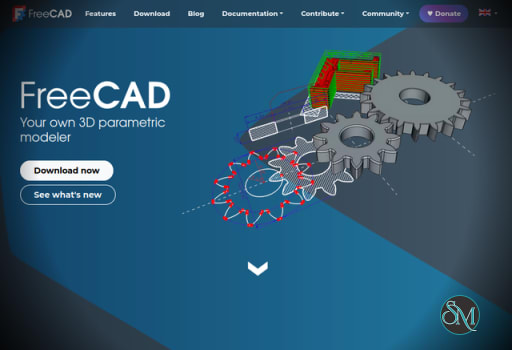
FreeCAD is a free and open source parametric CAD software developed by the FreeCAD Project. It is designed for creating 3D models of real life objects, with a focus on mechanical engineering, product design, and architecture.
The software uses parametric modeling, allowing users to modify designs by adjusting parameters rather than recreating models from scratch.
3D modeling and CAD software are essential for engineers, designers, and hobbyists working on technical projects. FreeCAD is a powerful open source parametric 3D modeling application that provides advanced design tools without the cost of commercial CAD software.
Download FreeCAD 1.1.1 - Software Mirrors |
|---|
Download FreeCAD 1.1.1 for macOS - Silicon Download FreeCAD 1.1.1 for Linux - x86_64 Download FreeCAD 1.1.1 for Linux - aarch64 |
FreeCAD 1.1.1 Release Notes: |
Key Features
Parametric Modeling
FreeCAD’s core feature is parametric design.
Users can:
Modify dimensions and constraints at any time
Recalculate models automatically
Maintain design history
This makes it ideal for engineering workflows where precision and iteration are important.
Modular Workbench System
FreeCAD uses a workbench based interface, where each module is designed for a specific task.
Examples include:
Part Design for solid modeling
Draft for 2D drawing
Arch for architectural modeling
Path for CNC machining
This modular approach allows users to focus on specific workflows.
Sketcher Tool
The Sketcher workbench enables users to create 2D sketches that serve as the foundation for 3D models.
Features include:
Geometric constraints
Dimensional constraints
Fully parametric sketches
This is a critical component for precise modeling.
3D Modeling and Assembly
FreeCAD supports complex 3D modeling and assembly creation.
Users can:
Combine multiple parts
Simulate assemblies
Analyze mechanical relationships
This makes it suitable for engineering and product design.
File Format Support
FreeCAD supports a wide range of file formats:
STEP
IGES
STL
OBJ
DXF
This ensures compatibility with other CAD tools and workflows.
Python Scripting
FreeCAD includes built in Python support, allowing users to:
Automate tasks
Create custom tools
Extend functionality
This is especially useful for advanced users and developers.
Open Source and Customizable
Being open source, FreeCAD allows:
Full transparency
Community driven development
Custom modifications and plugins
Performance and Usability
FreeCAD is a powerful tool but comes with a learning curve.
Performance characteristics:
Handles complex models reasonably well
Performance depends on hardware and project size
May feel less optimized compared to commercial CAD software
Usability considerations:
Interface can feel complex for beginners
Documentation and tutorials help but require time to learn
Pros and Cons
Advantages
Free and open source
Powerful parametric modeling
Cross platform support
Modular workbench system
Python scripting for automation
Wide file format compatibility
Limitations
Steep learning curve for beginners
Interface is less polished than commercial tools
Performance can vary with large assemblies
Some features still under development
Who Should Use FreeCAD
FreeCAD is ideal for:
Engineers and product designers
Students learning CAD
Makers and hobbyists
Developers needing customizable CAD tools
Users seeking a free alternative to paid CAD software
Final Verdict
FreeCAD is a highly capable and flexible CAD application that offers powerful parametric modeling tools at no cost. While it may require time to learn, its extensive features and open source nature make it an excellent choice for engineering and design projects.
For users looking for a free and customizable CAD solution, FreeCAD is one of the best options available.
Post a Comment/Report Broken Link: