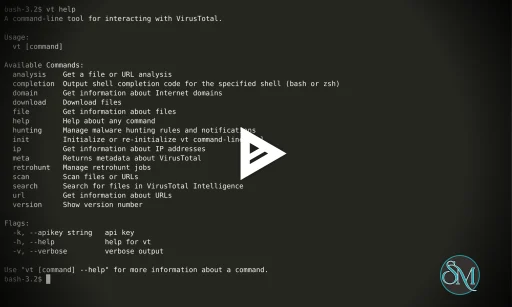
VirusTotal CLI is the official command-line client for accessing the VirusTotal malware analysis service. With this tool, you can scan files, directories, or URLs from a terminal or script and get detailed threat reports based on dozens of antivirus engines and security analyzers.
Instead of manually uploading to the VirusTotal web interface, VirusTotal CLI lets you integrate security scanning into development pipelines, automation scripts, system administration tasks, and incident response workflows.
To use VirusTotal CLI effectively, you need a VirusTotal API key. The CLI interacts with VirusTotal’s API to submit items for analysis and retrieve structured results.
Download VirusTotal CLI Latest - Software Mirrors | |
|---|---|
Download VirusTotal CLI for Windows 32bit | Download VirusTotal CLI for Linux 32bit Download VirusTotal CLI for Linux 64bit |
Key Features of VirusTotal CLI
Command-Line Malware Scanning
VirusTotal CLI lets you run malware scans using simple terminal commands. You can scan:
Single files
Entire directories
URLs
Hashes for existing reports
Results are displayed in structured text or JSON, useful for parsing and automation.
Bulk and Automated Analysis
The CLI is designed for batch processing. You can easily loop through large numbers of files and submit them for scanning. This makes it ideal for:
Automated nightly scans
Integration with CI/CD pipelines
Monitoring suspicious files
JSON Output for Integration
One of the strengths of VirusTotal CLI is its support for JSON output. This enables seamless integration with:
SIEM systems
Custom dashboards
Security automation tools
Incident response scripts
You can parse results in scripts and trigger alerts based on detection outcomes.
Query by Hash
If a file was previously scanned on VirusTotal, you don’t need to upload it again. Just query by hash (SHA256, MD5, or SHA1) to get a report instantly.
URL Scanning and Reputation Lookup
VirusTotal CLI also supports scanning URLs and checking reputation data. This helps detect malicious links and phishing sites directly from scripts or automation tools.
Why Use VirusTotal CLI?
Unlike graphical tools, VirusTotal CLI gives you maximum flexibility and automation power. It integrates smoothly with system workflows, enabling you to:
Build malware scanning into automation pipelines
Run scriptable bulk scans
Fetch structured results for logging or reporting
Combine with other command-line tools like grep, jq, or PowerShell
This sets VirusTotal CLI apart from traditional antivirus and web UIs.
Performance and Security
VirusTotal CLI is lightweight and fast. Actual scan time depends largely on upload and API response times, but processing is efficient compared with manual scanning. Since analysis is performed by the VirusTotal cloud service, local performance constraints are minimal.
Data transmitted via API is secured with HTTPS, and API keys are used for authenticated access.
Pros and Cons
Pros
Access to dozens of antivirus engines
Scriptable and automatable
Great for developers and security teams
Supports file, directory, URL, and hash scanning
JSON output for integration
Cons
Requires VirusTotal API key
Limited offline functionality
Results depend on external cloud service
Final Verdict
VirusTotal CLI continues to be one of the most powerful and flexible tools for command-line malware scanning. With deep antivirus coverage, strong integration capabilities, and automation support, it’s a valuable utility for anyone serious about security.
If you want fast, scriptable malware scanning and security analysis from the terminal, VirusTotal CLI is an essential tool.
VirusTotal CLI provides access to the VirusTotal scanning service directly from your terminal, making it ideal for automation, integration with scripts, and bulk analysis without relying on a web browser.
Developer:
VirusTotal
Operating System:
Windows / macOS / Linux / BSD
Date Added:
2026-05-19T17:01:27.106Z
Categories:
Post a Comment/Report Broken Link: