SMPlayer is a free and open source multimedia player for Windows, macOS and Linux. The software is designed to play nearly all audio and video formats out of the box while offering advanced playback controls, subtitle handling, and customization features.
Unlike minimalist media players, SMPlayer focuses heavily on configurability and user control.
SMPlayer remains one of the most flexible and reliable media players available for desktop users who want broad format support without relying on additional codec packs. Built as a graphical frontend for MPlayer and MPV, it combines powerful playback capabilities with a traditional desktop interface that appeals to both casual viewers and advanced users.
Key Features
Wide Format Compatibility
SMPlayer supports a huge range of video and audio formats without requiring external codec installations. This includes MP4, MKV, AVI, FLAC, MOV, and many others.Built on MPV and MPlayer
The software uses powerful playback engines known for stability, format support, and excellent video rendering quality.Resume Playback Feature
One of SMPlayer’s most appreciated features is automatic playback memory. It remembers the exact position, subtitles, audio track, and settings for every file.Integrated YouTube Support
SMPlayer can browse and play YouTube videos directly through the application using external playback support.Advanced Subtitle Controls
Users can download subtitles, adjust synchronization, change fonts, and customize subtitle rendering with detailed controls.Customizable Interface
The player offers skins, themes, toolbar editing, keyboard shortcuts, and configurable playback settings.
User Experience
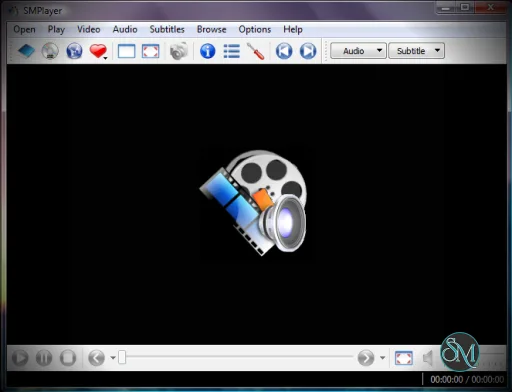
SMPlayer feels traditional compared to modern minimalist media players, but many users appreciate the familiar desktop style interface.
The amount of customization available is impressive, though beginners may initially feel overwhelmed by the large settings menu and advanced playback options.
For users who enjoy fine control over video playback, subtitles, audio output, and interface behavior, SMPlayer is extremely rewarding.
Performance and Compatibility
SMPlayer performs well on both modern and older systems. Hardware acceleration support helps reduce CPU usage during high resolution playback.
The application is available for Windows and Linux, with strong stability across both platforms.
Playback reliability is one of its strongest points, especially for unusual or older media formats that sometimes fail in simpler players.
Privacy and Open Source Approach
As an open source application, SMPlayer avoids telemetry heavy ecosystems and unnecessary online services. Users can play local media without account systems, ads, or subscription prompts.
This lightweight and offline friendly approach continues to attract users who prefer traditional desktop software experiences.
Pros
Excellent codec and format support
No need for external codec packs
Resume playback memory works extremely well
Strong subtitle customization tools
Open source and lightweight
Highly customizable interface
Cons
Interface feels dated to some users
Large number of settings may overwhelm beginners
YouTube integration occasionally breaks due to platform changes
Less visually modern than some competitors
SMPlayer is ideal for users who want reliable local media playback with advanced controls and broad format support. It is especially useful for anime viewers, movie collectors, subtitle heavy workflows, and users with diverse media libraries.
Advanced users who enjoy customization will benefit the most from its feature rich design.
SMPlayer remains one of the best desktop media players for users who value flexibility, playback reliability, and deep customization. While the interface may feel traditional, its powerful feature set and excellent codec support continue to make it a standout choice for serious media playback.
Post a Comment/Report Broken Link: