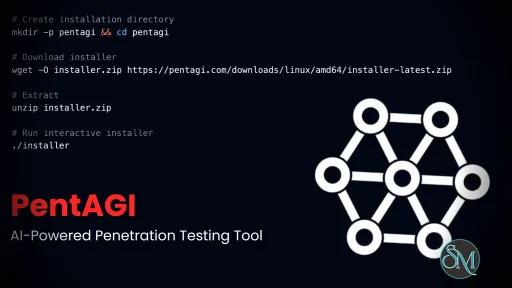
PentAGI is an AI driven penetration testing assistant designed to help security professionals identify vulnerabilities and analyze system weaknesses.
AI powered tools are rapidly expanding into cybersecurity, offering new ways to automate testing and improve system defenses. PentAGI is an emerging platform designed to assist with penetration testing and security analysis using artificial intelligence.
The platform combines elements of:
Artificial intelligence
Ethical hacking methodologies
Automated security analysis
Its goal is to support security teams by reducing manual effort and improving efficiency during penetration testing workflows.
Download PentAGI 2.1.0 - Software Mirrors |
|---|
Download PentAGI Download PentAGI Download PentAGI Download PentAGI |
| PentAGI 2.1.0 Release Notes: PentAGI 2.1 — File Management, Knowledge Base, ToolCall Observability, and Assistant Flow Control This release adds a complete file management layer (user resource libraries and flow workspace files with container sync), a first-class Knowledge Base with semantic search and anonymization, real-time ToolCall logging, and assistant tools to monitor and steer running flows. It also refreshes model configurations across OpenAI, Anthropic, Gemini, DeepSeek, Qwen, Kimi, and GLM, a broad frontend modernization pass (React 19, Apollo Client v4, Vite 8), and a wide range of stability and security fixes. ⠀ Major FeaturesUser Resources & Flow FilesA new file management layer lets users bring their own files into PentAGI and share them with agents.
Knowledge Base ManagementThe pgvector memory store is now a first-class, user-manageable resource rather than agent-only auto-storage.
ToolCall ObservabilityIndividual agent tool calls are now logged through a dedicated provider and exposed via GraphQL queries and subscriptions plus a REST API, giving real-time, inspectable visibility into every command, search, and action an agent performs during a flow. Assistant Flow ManagementThe interactive assistant can now observe and steer active flows without leaving the chat. New tools let the assistant read flow status (with multiple detail levels), stop a flow, submit input to a waiting flow, patch subtasks, and block until a task completes. A summarizer cache avoids redundant LLM calls when reporting flow state. Unified Agent Language PolicyA single, consistent language policy now spans all agent prompts: vector-store and search-engine queries are forced to English for retrieval consistency, while user-facing messages follow the engagement language. Template variables and tool access were aligned with each agent's actual runtime tool set. New CapabilitiesUpdated Provider Configurations & ModelsBuilt-in model configurations were refreshed across multiple providers — OpenAI, Anthropic, Gemini, DeepSeek, Qwen, Kimi, and GLM — to match the current model landscape, with updated model lists, pricing, and context windows.
Per-Model AnalyticsA new query surfaces token usage broken down by model and agent type within a single flow, integrated into the flow dashboard. Configuration
Frontend ModernizationA broad pass touched nearly every list and detail page.
Bug Fixes & ReliabilityFlow & Agent Execution
Knowledge & Data
Frontend
Security
DocumentationExtensive user-facing documentation was added, including a first-use guide, a pentesting prompt methodology guide, memory lifecycle across flows, capability boundaries, OAuth callback setup, a Docker mirror guide for restricted networks, OSINT integration scenarios, the flow Files tab, DeepSeek V4 migration and pricing, and a clarification that Vertex AI is reachable today only via an OpenAI-compatible gateway. Two design RFCs — flow concurrency with completion webhooks, and MCP client integration — were added under examples/proposals/ as design proposals with no runtime code yet.Upgrade Notes
ContributorsCore Team
External Contributors
Full Changelog: https://github.com/vxcontrol/pentagi/compare/v2.0.0...v2.1.0 |
Key Features of PentAGI
AI Assisted Penetration Testing
PentAGI leverages AI to assist in identifying potential vulnerabilities.
Capabilities may include:
Suggesting attack vectors
Analyzing system responses
Generating testing strategies
This helps security professionals accelerate the testing process.
Workflow Automation
PentAGI aims to automate repetitive tasks involved in penetration testing.
Examples include:
Scanning for vulnerabilities
Organizing findings
Generating reports
Automation helps reduce time spent on routine operations.
Intelligent Recommendations
The platform can provide contextual recommendations based on detected issues.
This may include:
Suggested remediation steps
Security best practices
Risk prioritization
These insights help teams respond more effectively to vulnerabilities.
Integration Potential
PentAGI may integrate with existing security tools and workflows, such as:
Vulnerability scanners
Logging systems
DevOps pipelines
This allows it to fit into modern security environments.
Reporting and Documentation
PentAGI can assist in generating structured reports that summarize findings, risks, and suggested fixes.
This is useful for:
Security audits
Compliance documentation
Client reporting
Performance and Usability
PentAGI is designed for cybersecurity professionals and technical users.
Performance characteristics:
Fast analysis through AI assistance
Reduced manual workload
Scalable for different environments
Usability considerations:
Requires knowledge of penetration testing concepts
May involve a learning curve for new users
Effectiveness depends on configuration and use case
Pros and Cons
Advantages
AI driven approach to penetration testing
Automates repetitive security tasks
Provides intelligent recommendations
Supports modern security workflows
Improves efficiency for security teams
Limitations
Not a replacement for human expertise
May require technical knowledge to use effectively
Limited public documentation compared to established tools
Accuracy depends on AI model capabilities
Who Should Use PentAGI
PentAGI is best suited for:
Cybersecurity professionals
Penetration testers
Security researchers
DevSecOps teams
Organizations improving security posture
It is particularly useful for teams looking to integrate AI into their security processes.
Final Verdict
PentAGI represents a modern approach to cybersecurity by combining artificial intelligence with penetration testing practices. It helps automate repetitive tasks, provides intelligent insights, and improves efficiency for security professionals.
While it does not replace human expertise, PentAGI can serve as a valuable assistant in identifying vulnerabilities and strengthening system defenses.
Developer:
VXControl L.L.C-FZ
Operating System:
Windows / macOS / Linux
Date Added:
2026-05-29T19:14:28.941Z
Categories:
Post a Comment/Report Broken Link: