Onyx AI is an open-source AI platform designed to connect large language models with your own data, apps, and workflows. Instead of relying only on generic AI knowledge, it allows you to build a system that understands your internal documents, tools, and processes.
It can function as:
An AI assistant for teams
A knowledge search engine
A platform for building custom AI agents
In simple terms, Onyx AI acts like a private, customizable version of tools similar to ChatGPT, but with deeper control over data and behavior.
If you are exploring powerful alternatives to mainstream AI tools, Onyx AI is quickly gaining attention as a flexible and developer-friendly solution. Built with a strong focus on customization, data integration, and self-hosting, Onyx AI goes beyond a simple chatbot and positions itself as a full AI workspace.
Download Onyx AI v4.0.2 Desktop App - Software Mirrors |
|---|
Download Onyx AI v4.0.2 Desktop App for Linux (amd64 - RPM) Download Onyx AI v4.0.2 Desktop App for Windows (msi) Download Onyx AI v4.0.2 Desktop App for Windows (exe) Download Onyx AI v4.0.2 Desktop App for macOS (dmg) Download Onyx AI v4.0.2 Desktop App for macOS (tar.gz) Download Onyx AI v4.0.2 Desktop App for Linux (arm64 - deb) Download Onyx AI v4.0.2 Desktop App for Linux (amd64 - deb) Download Onyx AI v4.0.2 Desktop App for Linux (aarch64 - RPM) |
Onyx AI v4.0.2 Desktop App Release Notes:WarningDo not upgrade to this release if you want to preserve your existing indexed documents but have not yet run the document index migration, which can be done from any version v3.x. See additional documentation here. See the assets to download this version and install. What's Changed
|
Key Features of Onyx AI
1. AI Chat with Your Own Data
Onyx connects to documents, databases, and apps, allowing it to generate answers based on real company knowledge instead of generic internet data.
2. Advanced RAG and Hybrid Search
It uses retrieval-augmented generation and hybrid search techniques to improve accuracy and reduce hallucinations.
3. Custom AI Agents
You can build agents with specific instructions, tools, and workflows, enabling automation of tasks like research, reporting, or analysis.
4. Deep Research Capabilities
Onyx AI can combine web data and internal sources to deliver structured insights instead of simple search results.
5. Open Source and Self-Hosted
One of its biggest strengths is transparency. You can deploy it on your own infrastructure, keeping full control over your data and privacy.
6. Multi-LLM Support
Onyx allows integration with different AI models, giving users flexibility instead of locking them into a single provider.
Performance and Use Cases
Onyx AI is designed for productivity and enterprise use rather than casual chatting. It performs best when connected to structured data, internal tools, or large document collections.
Common use cases include:
Internal knowledge assistants for companies
Developer and engineering workflows
Research and data analysis
Automated reporting and insights generation
Because of its architecture, it can also query live structured data and generate actionable outputs, not just text responses.
User Experience
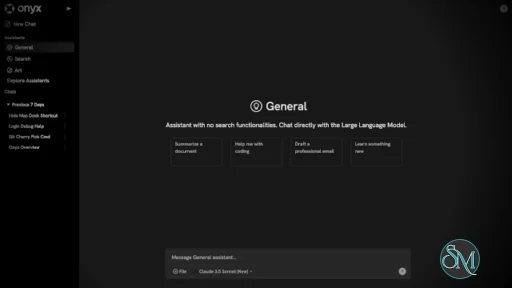
The interface is modern and similar to a chat-based AI tool, but with added layers like agents, connectors, and configurations.
However, it is not beginner-focused. Setting up Onyx AI, especially self-hosting and integrations, requires some technical knowledge. This makes it more suitable for developers, startups, and tech teams rather than casual users.
Pros and Cons
Pros
Open source and highly customizable
Strong privacy with self-hosting options
Supports multiple AI models
Powerful data integration and automation
Advanced research and analysis capabilities
Cons
Setup can be complex for beginners
Requires infrastructure for full potential
Overkill for simple AI chat use
Who Should Use Onyx AI
Onyx AI is ideal for:
Developers building AI-powered tools
Companies needing internal AI assistants
Teams working with large datasets or documentation
Users who want full control over AI behavior and data
It is less suitable for users who just want a simple plug-and-play chatbot.
Final Verdict
Onyx AI stands out as a powerful open-source alternative in the AI ecosystem. It is not just another chatbot but a full platform for building intelligent systems tailored to your data and workflows.
Onyx AI is an excellent choice for advanced users and teams who want flexibility, privacy, and deep integration. While it requires some setup effort, the payoff in capability and control is significant.
Post a Comment/Report Broken Link: