NTLite is a Windows deployment and customization tool developed by Nlitesoft. It allows users to modify Windows installation images before installation or adjust existing systems after deployment.
The software is commonly used by system administrators, IT professionals, and advanced users to streamline Windows setups, remove unnecessary components, and automate installation processes.
NTLite supports various versions of Windows, including Windows 7, 8, 10, and newer releases.
Download NTLite - Software Mirrors |
|---|
Download NTLite |
Key Features of NTLite
Windows Image Customization
NTLite allows users to customize Windows installation images (ISO or WIM files) before installation.
Users can:
Remove unwanted Windows components
Integrate drivers and updates
Preconfigure system settings
Optimize system performance
This helps create a lightweight and tailored Windows installation.
Live System Editing
In addition to offline image customization, NTLite can modify an already installed Windows system.
Users can:
Remove unnecessary features
Adjust system settings
Optimize performance in real time
This flexibility makes it useful both before and after Windows installation.
Driver Integration
NTLite allows users to integrate hardware drivers directly into the Windows installation image.
This ensures that essential drivers are available during installation, which is especially useful for:
New hardware
RAID or NVMe storage controllers
Network adapters
Driver integration reduces the need for manual driver installation after setup.
Windows Update Integration
The software can integrate Windows updates, patches, and service packs into installation images.
This ensures that systems are up to date immediately after installation, reducing the need for lengthy update processes.
Unattended Installation Setup
NTLite supports unattended installation configuration, allowing users to automate the Windows setup process.
Users can predefine:
Language and region settings
User accounts
Product keys
Privacy settings
This feature is especially useful for deploying Windows across multiple systems.
Component Removal
One of the most popular features of NTLite is the ability to remove unwanted Windows components.
Examples include:
Preinstalled apps
System services
Optional Windows features
Removing unnecessary components can reduce system resource usage and improve performance.
Registry and Tweaks Management
NTLite provides advanced control over Windows registry settings and system tweaks.
Users can apply performance optimizations, disable unwanted services, and customize system behavior at a deeper level.
Bootable ISO Creation
After customization, NTLite allows users to create bootable ISO images for installation.
This makes it easy to deploy customized Windows builds across multiple machines.
Performance and Usability
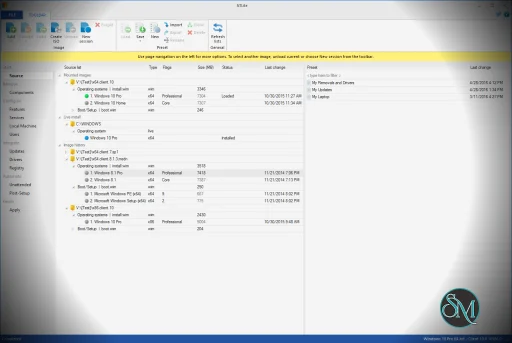
NTLite offers a modern interface that organizes features into clear sections such as components, updates, drivers, and settings.
While the interface is user friendly for experienced users, beginners may need time to understand the impact of certain changes, especially when removing system components.
Incorrect configurations can lead to system instability, so careful testing is recommended.
Pros and Cons
Advantages
Powerful Windows customization and deployment tool
Supports both offline and live system editing
Integrates drivers and updates into installation images
Enables unattended Windows installation
Helps reduce system bloat and improve performance
Limitations
Advanced features may require technical knowledge
Incorrect component removal can cause system issues
Full functionality requires a paid license
Limited usefulness for casual users
Who Should Use NTLite
NTLite is best suited for:
IT professionals deploying Windows systems
System administrators managing multiple computers
Advanced users customizing Windows installations
Enthusiasts creating lightweight Windows builds
It is particularly useful in enterprise environments or scenarios where multiple systems need to be configured consistently.
Final Verdict
NTLite is a powerful Windows customization and deployment tool that offers deep control over installation images and live systems. With features such as component removal, driver integration, and unattended setup configuration, it enables users to create optimized and tailored Windows environments.
For IT professionals and advanced users who need precise control over Windows installations, NTLite provides a comprehensive and efficient solution.
Customizing and optimizing Windows installations can save time, reduce system resource usage, and improve performance. NTLite is a powerful Windows configuration tool designed to help users customize, deploy, and manage Windows installations with advanced control.
Post a Comment/Report Broken Link: