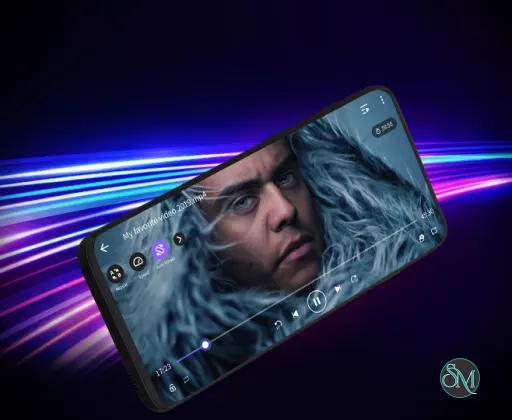
KMPlayer for Android is a mobile media player developed by PandoraTV. It is designed to play various video and audio formats on Android smartphones and tablets without requiring additional codec installations.
The application supports high resolution video playback, subtitle customization, and advanced playback controls, making it a versatile media player for mobile users.
KMPlayer is widely used by users who need a flexible video player capable of handling large files, high quality video, and various subtitle formats.
Download KMPlayer - Software Mirrors | |
|---|---|
Key Features of KMPlayer for Android
Wide Format Support
KMPlayer supports many common and advanced multimedia formats, including:
MP4
MKV
AVI
MOV
FLV
WMV
3GP
It can also handle various audio formats such as MP3, AAC, and OGG.
Because the player includes built in codecs, most files can be played without installing additional plugins.
High Resolution Video Playback
The app supports high quality video playback, including:
Full HD (1080p)
2K resolution
4K Ultra HD videos
Hardware acceleration helps ensure smooth playback even for high resolution content on compatible devices.
Advanced Subtitle Support
KMPlayer provides extensive subtitle support for users watching movies or TV shows.
Supported features include:
Multiple subtitle formats such as SRT and ASS
Subtitle synchronization adjustments
Custom subtitle colors and sizes
Subtitle positioning on the screen
These options allow users to customize subtitles for better readability.
Gesture Based Controls
The application includes gesture controls that simplify playback management.
Users can:
Adjust brightness by sliding on the screen
Change volume using vertical gestures
Fast forward or rewind with horizontal gestures
These controls make it easy to manage playback without opening menus.
Floating Video Player
KMPlayer supports a floating window feature that allows videos to continue playing while users use other applications.
This feature works similarly to picture in picture mode and is useful for multitasking on Android devices.
Cloud Storage Playback
The player can connect to cloud storage services and network locations. This allows users to stream videos stored in cloud accounts or shared folders.
Supported sources may include cloud storage platforms or local network storage systems.
Playback Speed Control
Users can adjust playback speed to watch videos faster or slower depending on their preferences.
This feature is useful for watching tutorials, lectures, or long video content.
Bookmark and Resume Playback
KMPlayer can remember the last playback position in a video and resume from that point later.
The bookmarking feature also allows users to mark specific scenes for quick access.
Performance and Usability
KMPlayer for Android offers a modern interface that organizes videos in a library view. The player automatically detects video files stored on the device, making them easy to access.
Hardware acceleration helps improve playback performance and reduce battery usage when playing high resolution videos.
However, some users report that the free version may include advertisements, which can occasionally interrupt the experience.
Pros and Cons
Advantages
Supports many video and audio formats
High resolution playback including 4K
Advanced subtitle customization options
Gesture based playback controls
Floating video player for multitasking
Playback speed and bookmarking features
Limitations
Free version includes advertisements
Some advanced features may require additional permissions
Interface may feel complex for first time users
Despite these limitations, KMPlayer remains a feature rich video player for Android devices.
Who Should Use KMPlayer for Android
KMPlayer for Android is suitable for:
Users watching movies or videos on mobile devices
People needing advanced subtitle control
Users playing large or high resolution video files
Android users who want a flexible multimedia player
People who prefer gesture based playback controls
It is especially useful for users who frequently watch video content on their smartphones or tablets.
Final Verdict
KMPlayer for Android is a powerful multimedia player that combines wide format support, advanced subtitle options, and high quality video playback. With features such as gesture controls, floating playback, and playback speed adjustments, it provides a flexible media viewing experience.
For Android users looking for a capable and feature rich video player, KMPlayer for Android remains a reliable option for handling a wide variety of media files.
Mobile devices have become a primary platform for watching videos, which makes a reliable media player essential. KMPlayer for Android is a powerful multimedia player designed to handle a wide range of video and audio formats while providing advanced playback features.
Post a Comment/Report Broken Link: