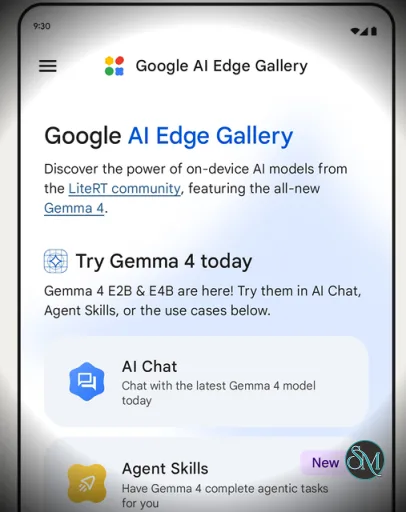
Google AI Edge Gallery is an experimental app developed by Google that allows users to download and run generative AI models locally on their smartphones.
Unlike traditional AI tools that rely on cloud servers, this app processes everything directly on your device. That means:
No internet required after setup
Faster response times
Better privacy since data stays local
It is currently focused on Android, with iOS support gradually expanding.
Download Google AI Edge Gallery 1.0.15 Android APK - Software Mirrors |
|---|
Download Google AI Edge Gallery 1.0.15 Android APK Download Google AI Edge Gallery 1.0.15 Android APK Download Google AI Edge Gallery 1.0.15 Android APK Download Google AI Edge Gallery 1.0.15 Android APK Download Google AI Edge Gallery 1.0.15 Android APK |
Google AI Edge Gallery 1.0.15 Android APK Release Notes:What's Changed
|
Key Features of Google AI Edge Gallery
1. Fully Offline AI
Once models are downloaded, everything runs locally on your phone. This eliminates latency and keeps your data private.
2. AI Chat and Prompt Lab
You can interact with AI models through:
Chat conversations
Prompt-based tasks like summarizing, rewriting, or coding
This makes it similar to ChatGPT but without cloud dependency.
3. Ask Image and Multimodal AI
Upload images and ask questions about them. The AI can:
Describe objects
Analyze content
Answer visual queries
4. Model Marketplace Integration
The app connects to platforms like Hugging Face, letting you:
Download different AI models
Compare performance
Switch between models easily
5. Developer-Friendly Playground
It is designed not just for users but also developers:
Test AI models without coding
Benchmark performance
Experiment with custom models
Performance and Real-World Use
Performance depends heavily on your device hardware. High-end phones handle models smoothly, while lower-end devices may struggle.
Common use cases:
Offline AI assistant
On-device coding help
Image analysis without internet
Private AI experimentation
Because everything runs locally, it avoids cloud costs and works even in limited connectivity environments.
User Experience
The interface is simple and experimental, more like a testing lab than a polished consumer app.
You get:
Model selection interface
Chat-style interaction
Basic tools like Prompt Lab and Ask Image
However, setup may require sideloading or manual installation in some cases, which can be challenging for non-technical users.
Pros and Cons
Pros
Fully offline AI capability
Strong privacy with local processing
Open source and developer-friendly
Supports multiple AI models
No subscription or API cost
Cons
Still experimental and evolving
Requires relatively powerful hardware
Setup can be complex
Limited polish compared to mainstream AI apps
Who Should Use Google AI Edge Gallery
This tool is best suited for:
Developers experimenting with AI models
Privacy-focused users
Tech enthusiasts exploring edge AI
Users needing offline AI functionality
It is less suitable for casual users who want a simple plug-and-play AI app.
Final Verdict
Google AI Edge Gallery is not just another AI app. It represents the future direction of AI, where models run directly on your device instead of the cloud.
If you value privacy, control, and cutting-edge experimentation, Google AI Edge Gallery is a powerful tool worth exploring.
If you are interested in running AI directly on your device without relying on cloud services, Google AI Edge Gallery is one of the most innovative tools emerging in this space. It represents a major shift toward private, fast, and offline artificial intelligence.
Post a Comment/Report Broken Link: