GOM Player is a multimedia player for Windows (and with related versions for mobile platforms) that plays video and audio files without requiring extra codec packs. It includes subtitle support, audio and video effects, A/B repeat, and more.
It is suitable for casual viewers as well as users who want lightweight playback with quality features.
Download GOM Player - Software Mirrors | |
|---|---|
Key Features
Extensive Format Support
GOM Player plays many popular formats out of the box, including:
AVI, MP4, MKV
MOV, FLV, WMV
MP3, WAV, AAC
This removes the need to install separate codec packs or plugins.
Subtitle Tools
The player has strong subtitle support. Users can:
Load external subtitle files
Search for subtitles online
Adjust timing and font settings
This is useful for watching foreign-language videos or movies with custom captions.
Playback Controls
GOM Player offers:
A/B repeat for looping segments
Speed control
Audio track switching
Custom playlist management
These features enhance both casual viewing and study or review workflows that require replaying segments.
Streaming and Free Content
GOM Player provides access to some online content and free streaming channels through its interface. This gives users additional media-browsing options without leaving the player.
Performance and Usability
GOM Player loads quickly and remains responsive with large video files. It provides smooth playback even with high-resolution content, though ultra-high bitrates may perform better on modern hardware.
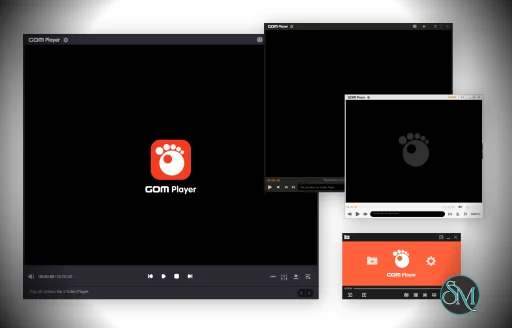
The interface is clean and approachable, with a sidebar for playlists and a control panel for playback options. Settings are well organized, and customization is supported with skins and layout preferences.
Pros and Cons
Pros
Plays most formats without external codecs
Strong subtitle support and customization
Useful playback features like A/B repeat
Smooth performance for standard and HD video
Free-to-use basic player
Cons
Some bundled offers may be presented during installation
Advanced features like video enhancements may require additional settings
Streaming content selection varies by region
Who Should Use GOM Player
GOM Player is ideal for:
Users who want a versatile and reliable video player
People who watch a variety of formats
Viewers who need subtitle control
Anyone seeking a free alternative to default media players
If you regularly play diverse audio and video files, GOM Player provides broad compatibility and helpful playback features without complexity.
Final Verdict
GOM Player is a dependable multimedia player that delivers extensive format support, subtitle features, and intuitive playback controls. It balances simplicity with useful options, making it a strong choice for general media consumption.
GOM Player is a popular media player that supports a wide range of video and audio formats without the need for additional codecs. It is designed for users who want a flexible, reliable player with built-in features such as subtitle support, playlist tools, and streaming capabilities.
Post a Comment/Report Broken Link: