FoneTool Unlocker is a Windows desktop application developed by AOMEI under the FoneTool brand.
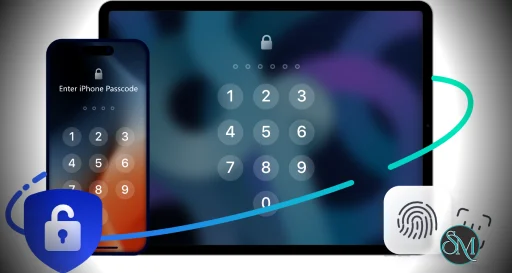
The software focuses primarily on unlocking iPhones and iPads by removing passcodes, Apple ID locks, Screen Time restrictions, and MDM profiles in supported scenarios.
Some versions and marketing materials also reference Android related unlocking features, though Apple device support is the platform’s main focus.
FoneTool Unlocker is a mobile device unlocking utility designed to help users bypass screen locks, remove Apple ID restrictions, and regain access to locked smartphones and tablets. The software targets everyday users who may be locked out of their devices due to forgotten passwords or disabled screens, offering a simplified desktop based recovery workflow.
While the tool can be useful in legitimate recovery situations, users should understand the legal, security, and device compatibility limitations before relying on it.
Download FoneTool Unlocker - Software Mirrors | |
|---|---|
Key Features of FoneTool Unlocker
iPhone Screen Unlocking
FoneTool Unlocker can remove screen passcodes from supported iPhone and iPad models when users forget passwords or devices become disabled.Apple ID Removal
The software includes Apple ID removal functions for supported configurations, though availability depends heavily on device status and iOS version.Screen Time Passcode Removal
Users can bypass or remove forgotten Screen Time restrictions without manually resetting settings.MDM Bypass Support
Some editions support bypassing Mobile Device Management restrictions on certain devices.Simple Guided Workflow
The application is designed for non technical users, with step by step instructions for recovery and unlocking operations.
User Experience
FoneTool Unlocker focuses on simplicity rather than technical depth. The interface is modern, minimal, and easy to navigate compared to many older mobile recovery tools.
Most operations involve connecting the device, selecting the unlock mode, and following guided prompts.
However, users should understand that unlocking success rates vary significantly depending on device generation, iOS version, Find My status, activation locks, and Apple security protections.
Performance and Reliability
The software generally performs well for supported recovery scenarios, especially basic screen lock removal.
More advanced functions such as Apple ID removal and MDM bypass can be inconsistent because Apple frequently changes security systems and activation protections.
Users should also expect device wipes in many unlocking scenarios. Removing passcodes often requires restoring the device, which erases stored data unless backups exist.
Security and Ethical Considerations
This category of software always carries important ethical and legal considerations.
Tools like FoneTool Unlocker are intended for recovering access to devices users legitimately own. Attempting to bypass protections on stolen, unauthorized, or managed corporate devices may violate laws, organizational policies, or platform security rules.
Users should also be cautious about unrealistic marketing claims common within the phone unlocking industry. No tool can universally bypass all modern Apple security systems under every condition.
Pros
Simple and beginner friendly interface
Supports multiple iPhone unlocking scenarios
Guided recovery workflow
Useful for legitimate forgotten passcode recovery
Modern Windows application design
Cons
Success rates vary heavily by device and iOS version
Many operations erase device data
Advanced unlocking claims may not work universally
Limited usefulness against modern activation protections
Ethical and legal concerns if misused
FoneTool Unlocker is best suited for users attempting to regain access to their own locked devices after forgotten passcodes or management restrictions.
It may also help IT technicians handling supported recovery scenarios for authorized devices.
Users expecting guaranteed bypasses for all Apple security protections should keep expectations realistic.
FoneTool Unlocker offers a polished and accessible approach to mobile device recovery and unlocking. For legitimate passcode recovery situations, it can be convenient and easy to use. However, Apple’s evolving security protections, device compatibility limitations, and the nature of the unlocking category itself mean results can vary substantially depending on the specific scenario.
Post a Comment/Report Broken Link: