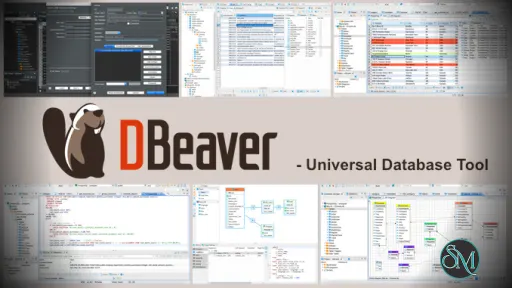
DBeaver Community Edition is a universal database client that allows users to connect to multiple database types from a single application. It provides tools for writing SQL queries, browsing database objects, and exporting data.
DBeaver CE is ideal for users who need a flexible and cross platform database management solution without licensing costs.
Download DBeaver 26.1.0 Community Edition - Software Mirrors | ||
|---|---|---|
Download DBeaver 26.1.0 Community Edition Download DBeaver 26.1.0 Community Edition Download DBeaver 26.1.0 Community Edition Download DBeaver 26.1.0 Community Edition | ||
What's New in DBeaver 26.1.0 Community Edition
- SQL Editor:
    - Added support for double-curly SQL parameters[#40914] (thanks to @namoguy)
              	- AI assistant: Added support for new OpenAI codex models with the GitHub Copilot
              	- Metadata Editor:
    - Fixed an issue where the item count disappeared after refreshing the editor (thanks to @jack-stormentswe)
              	- Data Editor:
              	    - Added new shortcuts: 'Shift+Alt+Insert' inserts a row before the current,  'Ctrl+Shift+Alt+Insert' duplicates a row and inserts before the current row (thanks to @jack-stormentswe)
              	    - Added the ability to hide filters (thanks to @EastLord)
              	    - Added the "Insert new rows" option to Advanced Copy, allowing users to insert new rows without replacing existing ones
    - Fixed an issue when some spatial data was displayed as grayed in the Spatial viewer
              	- Navigator: Fixed an issue when the newly created object was deleted after the refresh (thanks to @Desel72)
- Connectivity: Jump servers settings are now updated on the fly (thanks to @jack-stormentswe)
              	- Data Transfer: Fixed incorrect export to HTML format when only one of the "Table header" or "Column headers" options was enabled (thanks to @boskodev790)
              	- Task Management: Fixed multiple issues where content could disappear on some tool pages inside the Task wizard
- Security: Fixed XXE Injection in DBeaver XML Viewer
              	- New drivers: Added support for GizmoSQL driver (thanks to @prmoore77)
              	- Miscellaneous:
              	    - The Copy button in the Generate DDL dialog now remains disabled until DDL generation is complete (thanks to @dhgoal)
    - Fixed an issue with white background of vertical tabs and some toolbar items in the Dark theme
              	    - Improved import from DataGrip for Snowflake, BigQuery and other non-standard connections (thanks to @a3894281)
    - Added the 'supports-ddl-transactions' parameter for custom generic drivers to configure DDL transaction support (thanks to @popsiclelmlm)
- Development: Fixed build failures caused by non-English default JVM locales on developer machines (thanks to @EastLord)
              	- Databases:
    - BigQuery: Fixed the incorrect presentation of multiple query results (thanks to @EastLord)
              	    - DuckDB: Fixed  LIST array presentation in the Data Editor (thanks to @EastLord)
              	    - Databricks: Fixed the ability to open schemas with a hyphen in the name (thanks to @tonicebrian)
    - Microsoft Fabric: Fixed Execution plan opening
              	    - Oracle: Result tabs are named depending on the executed query (thanks to @EastLord)
              	    - Redshift driver was updated to version 2.2.6
              	- Localization: French localization was improved (thanks to @Jean-BaptisteC)
| ||
Key Features of DBeaver CE
DBeaver CE focuses on usability and broad compatibility.
Main features include:
Support for popular databases such as MySQL, PostgreSQL, SQLite, MariaDB, Oracle, and SQL Server
SQL editor with syntax highlighting and auto completion
Database object browser and data viewer
ER diagrams and schema visualization
Data import and export tools
Transaction management and query history
Plugin based architecture
These features make it suitable for both development and analysis tasks.
Supported Databases and Platforms
DBeaver Community Edition runs on:
Windows
macOS
Linux
It supports JDBC based databases, allowing connection to many relational database systems using drivers.
Some advanced database features are available only in the Enterprise edition, but the Community Edition covers most everyday needs.
Performance and Stability
DBeaver CE performs well with small to medium sized databases. Query execution is reliable, and the data viewer handles large tables with pagination and filtering.
Because it is Java based, startup time and memory usage can be higher compared to lightweight native tools, but overall stability is strong.
Ease of Use
The interface is intuitive for users familiar with database tools. Beginners may need some time to explore the available features, but the layout is logical and well organized.
Saved connections and query history help improve workflow efficiency.
Is DBeaver CE Safe to Use
Yes, DBeaver Community Edition is safe when downloaded from the official website or trusted repositories. It is open source, contains no ads, and does not include tracking or bundled software.
Users maintain full control over their database connections and credentials.
Pros and Cons of DBeaver CE
Pros:
Free and open source
Wide database compatibility
Cross platform support
Powerful SQL editor
Active community and regular updates
Cons:
Higher memory usage due to Java
Some advanced features require paid edition
Interface may feel heavy on older systems
Despite these limitations, DBeaver CE remains a top choice.
Common Use Cases
DBeaver Community Edition is commonly used for:
SQL development and testing
Database administration tasks
Data analysis and exploration
Managing multiple database systems
Exporting and reporting data
Its flexibility makes it popular across industries.
Final Verdict
DBeaver Community Edition is one of the best free database management tools available today. It offers strong features, wide compatibility, and a reliable user experience without licensing costs.
DBeaver Community Edition is a powerful and free database management tool used by developers, database administrators, and data analysts around the world. It supports a wide range of database systems and provides a clean interface for managing, querying, and analyzing data.
Post a Comment/Report Broken Link: